Descript Review 2026: The AI Editor That Lets You Cut Video by Deleting Text — Is It Still Worth It?
A comprehensive Descript review for 2026 covering the Underlord AI co-editor's July 2026 upgrade, Overdub 3.0 voice cloning, Studio Sound 4.0 audio restoration, viral clip generation, the honest and inconsistent credit-based pricing structure across all five tiers, competitor comparisons with Opus Clip, Riverside, and CapCut, and honest limitations including the reported July 2026 traffic decline.
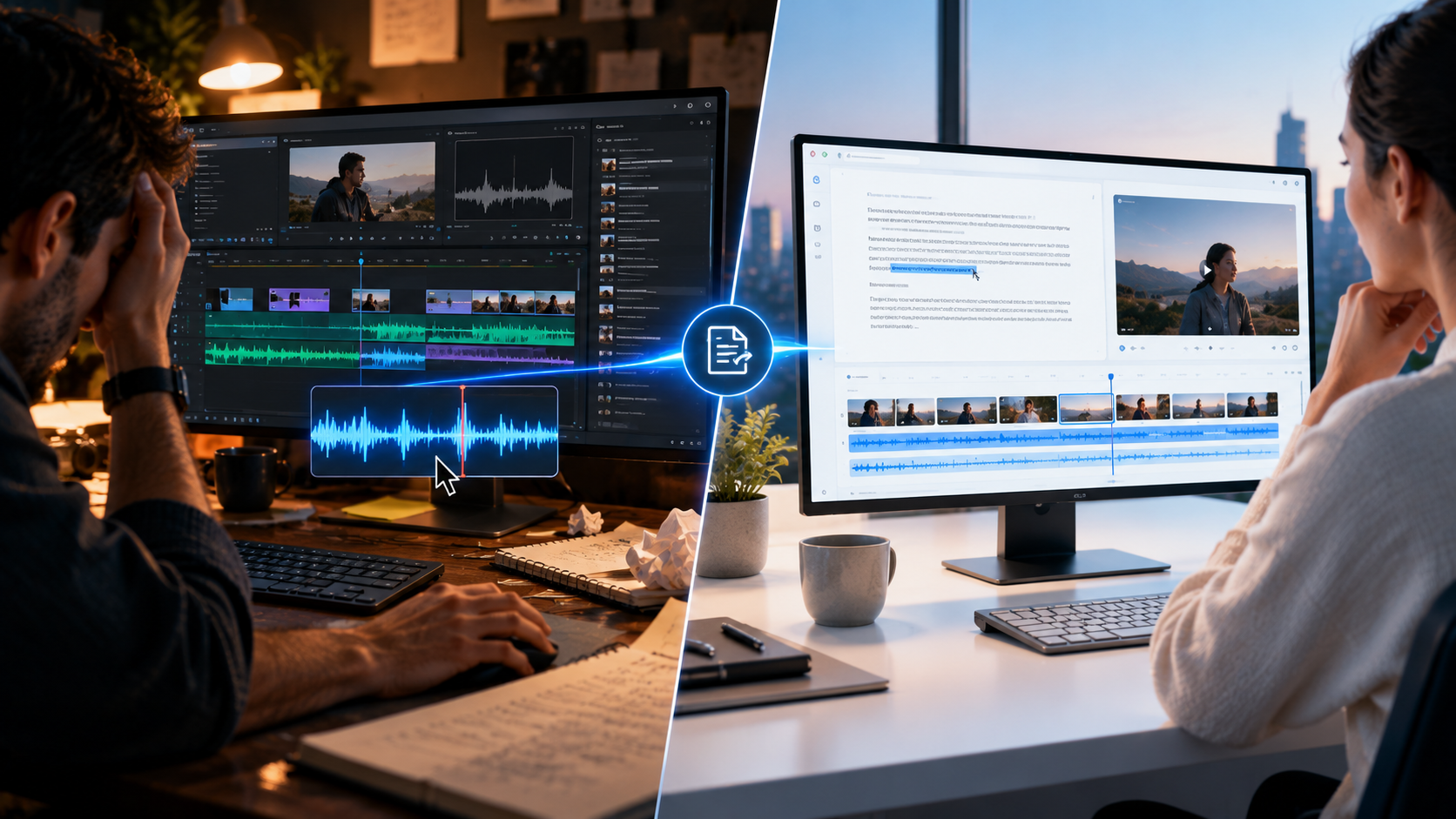
Every video editor who has ever dragged a clip along a timeline knows the specific frustration of hunting for the exact frame where a sentence starts. Scrub back. Scrub forward. Zoom into the waveform. Find the breath before the word. Cut. Repeat that forty times for a single podcast episode and you understand why editing spoken-word content has traditionally been one of the most tedious parts of content production.
Descript solved this by asking a deceptively simple question: what if editing video worked exactly like editing a Word document?
Delete a sentence from the transcript, and the corresponding video and audio disappear from the timeline automatically. Copy and paste a paragraph, and the clip moves with it. Fix a typo in the transcript, and Descript's Overdub voice cloning can regenerate the audio to match — fixing a flubbed line without a re-recording session.
That single idea — edit the words, not the waveform — is why Descript became the standard tool for anyone whose content is fundamentally about talking: podcasters, YouTubers, course creators, corporate training teams, and interview-based journalists. Over 6 million creators and teams now use the platform, including Microsoft, Amazon, Apple, Spotify, Reuters, The New York Times, and Coca-Cola. More than 5,900 companies globally rely on it as production infrastructure, not just a convenience tool.
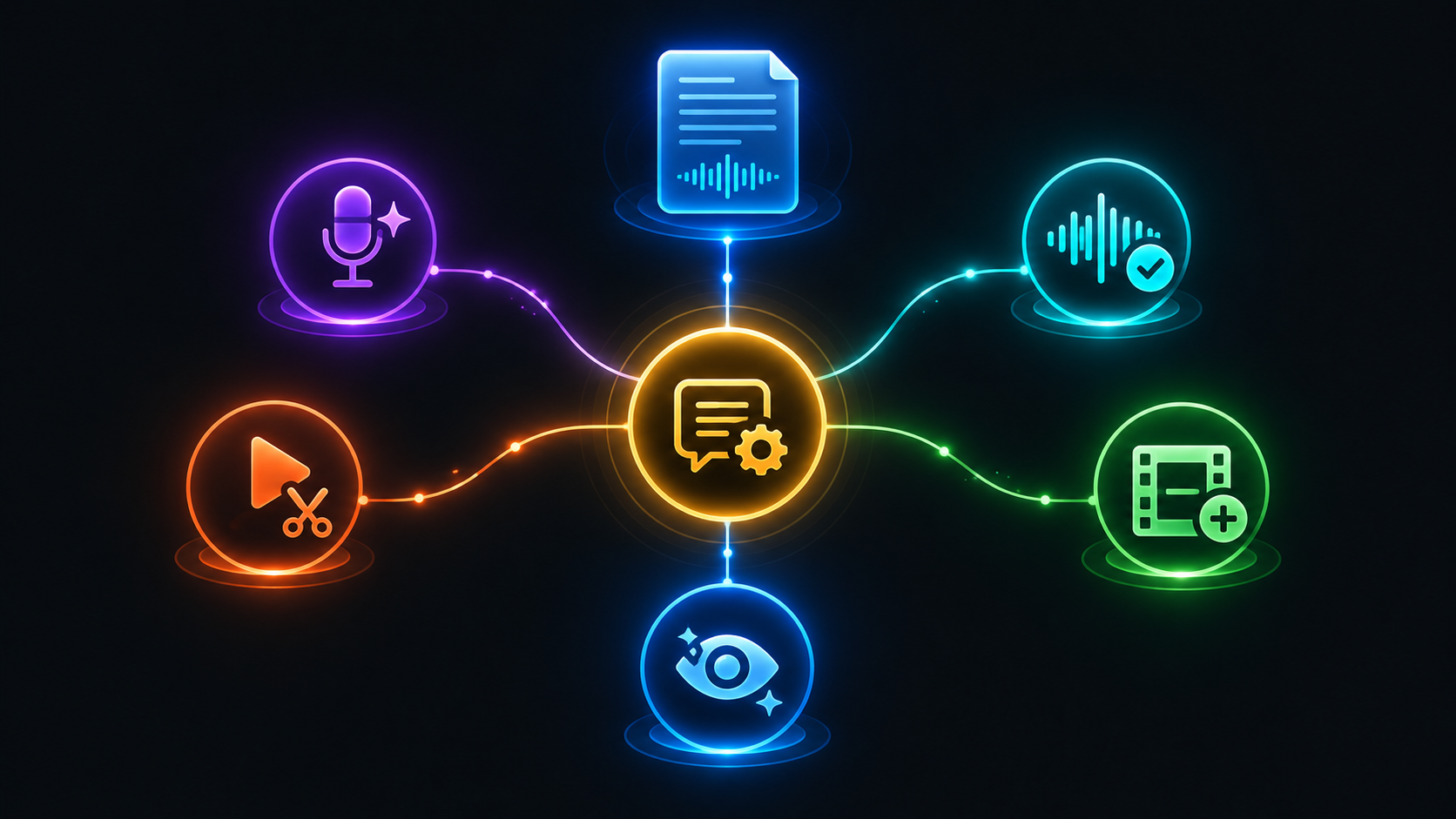
In 2026, Descript's AI layer — Underlord — evolved from a menu of one-click effects into something closer to a genuine agentic co-editor. You can tell it "remove all the filler words, tighten the pauses, add captions, and pull three vertical clips for TikTok" and it executes the entire chain, showing its work for your approval before finalizing anything.
But 2026 has also brought real friction: a credit-based pricing model that replaced simple minute-based plans and generated significant user frustration, and a reported 10.19% traffic decline in July 2026 according to Similarweb — numbers worth understanding honestly before you commit.
This Descript review covers everything: the complete Underlord AI feature set, the honest pricing breakdown across all five tiers, every real-world use case, comparisons with Riverside, Opus Clip, and traditional editors, and the genuine limitations that determine whether Descript belongs in your workflow in 2026.
What Is Descript?
Descript is an all-in-one AI-powered audio and video editing platform built around a text-based editing paradigm — you edit your recording by editing its transcript, and the underlying media follows automatically. Founded and headquartered in San Francisco, Descript launched with the specific goal of making video and audio editing accessible to people who think in words, not waveforms.
The platform's evolution since launch has been substantial. What began as a transcript-editing tool has expanded into a complete production suite: remote recording (via the SquadCast acquisition, now called Rooms), screen recording, AI voice cloning through Overdub, professional audio restoration through Studio Sound, automated social clip generation, AI-generated B-roll, and Underlord — the AI assistant that now orchestrates most of these capabilities as a unified agent rather than a collection of separate buttons.
The core insight that makes Descript different from a traditional non-linear editor (NLE) like Premiere Pro or Final Cut: Descript maintains a structured representation of your recording — the transcript, the identified speakers, the scene breaks, the underlying media — rather than treating your footage as an opaque video file. This structure is what allows Underlord to operate intelligently. The AI is not guessing at what is happening in your video; it can read exactly what was said, by whom, and where, and act on that structured understanding.
Why Descript Is a Tool Worth Understanding Right Now
Descript occupies a specific and defensible position in the 2026 AI video tool landscape: it is the platform that invented text-based editing and has spent six years deepening that core paradigm while competitors have chased newer, narrower use cases.
The category it created — editing spoken-word video by editing text — remains uniquely Descript's strength even as the broader AI video space has exploded with generation-focused tools like Runway, Sora, and Kling. Descript is not trying to generate video from nothing. It is trying to make editing existing spoken-word recordings dramatically faster, and on that specific job, it remains difficult to beat.
The July 2026 Underlord update is the most significant recent development, consolidating what had been a scattered set of individual AI features — Studio Sound, filler word removal, eye contact correction, clip generation — into a single AI assistant that can execute multi-step editing chains from one natural language instruction. This shift from "a collection of AI buttons" to "a unified editing layer" changes the practical workflow meaningfully: instead of manually invoking six separate tools in sequence, a single Underlord instruction handles the full chain and presents the results for approval.
At the same time, honest 2026 data shows Descript facing real competitive pressure. Similarweb reported a 10.19% traffic decline in July 2026, and the credit-based pricing model introduced in 2025 has generated documented user frustration around unpredictability — credits are harder to budget than the simple minute-based plans Descript previously offered, and failed Underlord tasks in some cases still consume credits without producing a usable result.
According to Google Search Central's guidance on video content best practices, well-structured video content with accessible text metadata — titles, descriptions, chapters, and captions generated from accurate transcripts — is favored in search visibility and discovery. Descript's transcript-first architecture and Underlord's automated show notes and chapter generation directly support this SEO best practice, which is part of why it remains standard workflow infrastructure for creators who need their video content to also perform in search.
Core Features of Descript in 2026
Text-Based Video Editing — The Foundational Paradigm
The core editing experience remains Descript's defining feature: your recording is transcribed automatically, and you edit the resulting text document exactly as you would edit a Word file. Delete a sentence, and the corresponding video segment is removed. Rearrange paragraphs, and the clips reorder to match. Copy a section from one project and paste it into another, and the media transfers with the text.
For anyone who edits talk-driven content — podcasts, interviews, YouTube commentary, corporate training, course lectures — this paradigm change is not a minor convenience. It is a genuinely different and faster way to work than scrubbing a timeline, and it remains the reason Descript defined this category and continues to lead it six years after inventing it.
Underlord — The AI Co-Editor
Underlord is Descript's AI assistant, and the July 2026 update transformed it from a set of individual one-click tools into a genuinely agentic co-editor capable of executing multi-step instructions.
The practical capability: you can instruct Underlord in natural language to "remove all the filler words, tighten the pauses, add captions, and pull three vertical clips for TikTok," and it executes that full chain of actions, showing its edits for your review and approval before finalizing. This matters because it moves Descript from a tool where you invoke separate features one at a time into something closer to delegating an editing task to an assistant and reviewing the output.
Underlord's specific capabilities in 2026 include drafting scripts, summarizing recordings, generating show notes and SEO-ready blurbs directly from the transcript, and identifying viral clips for social media automatically. The practical tip that experienced users report: highlighting the surrounding text before asking Underlord to write scripts or summaries significantly improves the contextual accuracy of the output, and labeling speakers before running AI summarization prompts improves accuracy further.
Every Underlord action, including transcription itself, Overdub generation, and AI Speaker synthesis, consumes credits from your monthly allocation — the metered system that replaced Descript's previous simple minute-based billing.
Overdub 3.0 — Ultra-Realistic Voice Cloning
Overdub is Descript's voice cloning feature, and the 3.0 version represents a significant quality leap: creating a usable digital twin of your voice now requires as little as three minutes of training audio, down from the longer sessions previous versions required.
The primary practical use case is correcting flubbed lines without a re-recording session — type the corrected line, and Overdub generates audio in your cloned voice that matches the tone and pacing of the surrounding recording. The V50 update introduced emotional intonation control, allowing the cloned voice to whisper, shout, or express excitement rather than producing flat, uniform delivery regardless of content.
For podcasters and course creators who record extensively, Overdub's error-correction use case alone justifies significant production time savings — eliminating the need to re-book a guest, re-set up recording equipment, or interrupt a flow state to fix a single misspoken word.
Studio Sound 4.0 — Professional Audio Restoration
Studio Sound is consistently praised by users as a standout feature that makes even poor-quality recordings sound professional. The 4.0 version separates audio stems — voice, background noise, music — automatically and removes reverb with what reviewers describe as zero introduced artifacts, a meaningful improvement over earlier noise-reduction approaches that often left audible processing artifacts in exchange for noise removal.
For podcasters recording in imperfect acoustic environments, remote interview subjects with inconsistent microphone quality, and any spoken-word content where audio quality directly affects listener retention, Studio Sound addresses one of the most consistent production quality gaps in independent content creation.
AI Clip Generation — Viral Clip Finder
The viral clip finder scans a long-form episode or recording and returns 5 to 10 short vertical clips optimized for YouTube Shorts, TikTok, and Instagram Reels, complete with suggested captions. For creators repurposing long-form podcast or video content into the short-form clips that drive discovery and audience growth on social platforms, this feature automates what was previously a manual and time-consuming clip-selection process.
The competitive context matters here: Opus Clip is a narrower, dedicated long-to-short clipping tool that several reviewers describe as sharper specifically at viral clip selection than Descript's built-in version. Descript's advantage is that the clip finder operates within the same platform where the full editing, captioning, and publishing workflow already lives — you do not need to export to a separate tool to generate and refine clips.
AI-Generated B-Roll
Highlight a sentence in your transcript, and Descript generates context-aware video B-roll using integrated diffusion models — Veo 3.1, Sora 2, and Kling are all available as generation backends for creating illustrative footage matched to what is being said at that point in the recording.
The July 2026 update significantly improved B-roll placement accuracy — Underlord now reads the transcript, identifies visual beats, and inserts stock or generated footage with placement accuracy that rose from approximately 60% to 92% in testing. The practical tip that improves generation quality: adding specific lighting and camera descriptors — "golden hour," "macro lens" — to B-roll generation requests produces meaningfully less generic results than vague prompts.
Eye Contact AI and Green Screen
Eye Contact AI corrects a speaker's gaze to appear to be looking directly at the camera even when they were actually reading a script or looking at notes off-camera — now supporting individuals wearing glasses and recording at extreme angles, addressing limitations in earlier versions of this correction technology.
Green Screen background removal works without requiring an actual physical green screen — Descript's AI segments the speaker from their background directly, which is particularly useful for creators recording in home offices or unconventional environments who want the polished look of a controlled studio background.
Rooms — Remote Recording Studio
Rooms, built on Descript's SquadCast acquisition, records remote podcasts and interviews with separate high-quality local tracks for each participant — meaning that even over an imperfect internet connection, each speaker's audio is captured locally at full quality and synced afterward, rather than being degraded by the compression and packet loss inherent in live video call audio.
Combined with the built-in screen recorder for tutorials, product demos, and asynchronous video messages, Rooms extends Descript from a post-production editing tool into a complete capture-to-publish pipeline within a single platform.
AI Speakers and Additional Generation Tools
Descript in 2026 includes AI Speakers — generating a talking presenter from 35-plus stock AI avatars or a custom avatar created from photo uploads — and image generation through Flux 2 Pro integration for supporting visual assets. These capabilities extend Descript's use cases beyond editing existing recordings into limited original content generation, though the platform's core strength and primary use case remains editing spoken-word content that was actually recorded.
Integrations and Automation
Descript integrates natively with Zapier and Make for workflow automation, with specific documented use cases including automatically syncing finished transcripts to a Notion database for SEO blog publishing and posting Slack alerts when collaborative projects receive comments.
An API opened in early access in 2026, allowing developers to import files, trigger Underlord workflows programmatically, and integrate with Zapier or Claude via MCP for automated production pipelines. The developer community response has been positive, though reviewers note the API is early-stage with limited feature coverage compared to the full web interface.
Real-World Use Cases
Podcasters
Podcasting remains Descript's core use case and the audience for whom the platform's value proposition is most complete. The workflow: record remotely through Rooms with high-quality local tracks per speaker, edit by deleting filler words and tightening pauses directly in the transcript, run Studio Sound to clean up audio inconsistencies across speakers and environments, generate show notes, chapters, and SEO-ready descriptions automatically from the transcript, and produce viral clips for social promotion — all within one platform.
For podcasters publishing on a weekly schedule, this consolidated workflow replaces what would otherwise require separate transcription, editing, audio restoration, and clip-generation tools — the specific value proposition that justifies the Creator tier's cost when compared to assembling a comparable toolkit from Riverside, Otter.ai, and Opus Clip separately.
YouTubers and Long-Form Video Creators
For talking-head YouTube content — commentary, tutorials, interviews, educational content — Descript's text-based editing paradigm compresses the editing timeline significantly compared to traditional NLE workflows, particularly for the filler-word removal and pacing-tightening work that consumes disproportionate editing time on talk-driven video.
The viral clip finder addresses the repurposing workflow that most successful YouTube channels now depend on: converting long-form uploads into Shorts that drive discovery and channel growth. Generating that repurposed content within the same platform where the long-form edit happens removes a full export-and-reimport step from the production pipeline.
Course Creators and Corporate Training Teams
For course creators recording lecture content and corporate teams producing training videos, Descript's combination of screen recording, transcript-based editing, and Overdub error correction addresses the specific production challenge of this content category: recordings that are information-dense, frequently need small corrections, and benefit enormously from accurate searchable transcripts for accessibility and reference purposes.
Overdub's ability to fix a misspoken technical term or corrected policy detail without a full re-recording session is particularly valuable for training content where accuracy matters and re-recording an entire module for a single error is a significant time cost.
Journalists and Interview-Based Content
For journalists and content creators whose primary format is recorded interviews, Descript's transcript-first structure and speaker identification provide both an editing tool and a research tool simultaneously — the searchable transcript allows quick location of specific quotes and moments across long interview recordings, while the editing capability allows rapid production of both long-form and clipped content from the same source material.
Social Media Managers and Content Repurposing Teams
For teams whose job is converting long-form content from podcasts, webinars, and video interviews into a volume of short-form social clips, Descript's viral clip finder combined with automated captioning addresses the highest-volume, most repetitive part of that workflow. While dedicated tools like Opus Clip may edge out Descript specifically on clip-selection sharpness, the consolidated workflow — no export and reimport required — is a meaningful efficiency advantage for teams managing high content volumes across multiple source recordings per week.
How Descript Compares to the Competition
Descript vs Opus Clip
Opus Clip is a dedicated long-to-short clipping tool — narrower in scope than Descript but arguably sharper at pure viral-clip selection specifically. For teams whose entire workflow is converting existing long-form content into short clips with no editing of the source material required, Opus Clip's focused tool may produce marginally better clip selection.
Descript's advantage is workflow consolidation: the same platform handles the original edit, the audio cleanup, and the clip generation without exporting to a separate tool. For creators who need both full editing and clip generation, Descript's all-in-one approach avoids the friction of managing multiple subscriptions and file transfers between platforms.
Descript vs Riverside.fm
Riverside.fm is a remote recording studio with editing capabilities added on — its primary strength is raw capture quality focus rather than comprehensive editing power. For podcasters whose primary concern is recording quality during the interview itself, Riverside's dedicated recording focus may be preferable.
Descript's Rooms feature (via the SquadCast acquisition) covers comparable remote recording capability while providing dramatically more comprehensive post-production editing power than Riverside offers — making Descript the more complete solution for creators who need both high-quality capture and sophisticated editing within one platform.
Descript vs CapCut and Mobile-First Editors
CapCut and similar mobile-first tools provide lighter, faster AI editing and captioning specifically for talking-head video — less of a full production suite than Descript but more accessible and faster for simple, single-purpose editing tasks on mobile devices.
For creators whose primary output is straightforward talking-head clips without the need for transcript-based multi-speaker editing, audio restoration, or B-roll generation, CapCut's simplicity and mobile-native workflow may be more appropriate. For creators managing complex multi-speaker recordings requiring sophisticated editing and audio cleanup, Descript's desktop-first comprehensive toolset is the more capable choice.
Descript vs Traditional NLEs (Premiere Pro, Final Cut Pro)
Traditional non-linear editors remain superior for visual-heavy work — motion graphics, complex color grading, advanced compositing, and any project where the visual editing complexity exceeds what transcript-based editing addresses. Descript's timeline tools, while improved, still trail dedicated NLEs for these visually complex production requirements.
For spoken-word content where the editing challenge is primarily about what is said and when — podcasts, interviews, talking-head video, course content — Descript's text-based approach is faster and more intuitive than a traditional NLE. For visually complex production work, traditional NLEs remain the more capable tool.
According to Wyzowl's State of Video Marketing Report 2026, spoken-word video content — interviews, talking-head explainers, podcasts adapted to video — represents one of the fastest-growing categories of business and creator video production, which is precisely the category Descript's text-based editing paradigm is purpose-built to serve most efficiently.
Descript Pricing — The Complete and Honest 2026 Breakdown
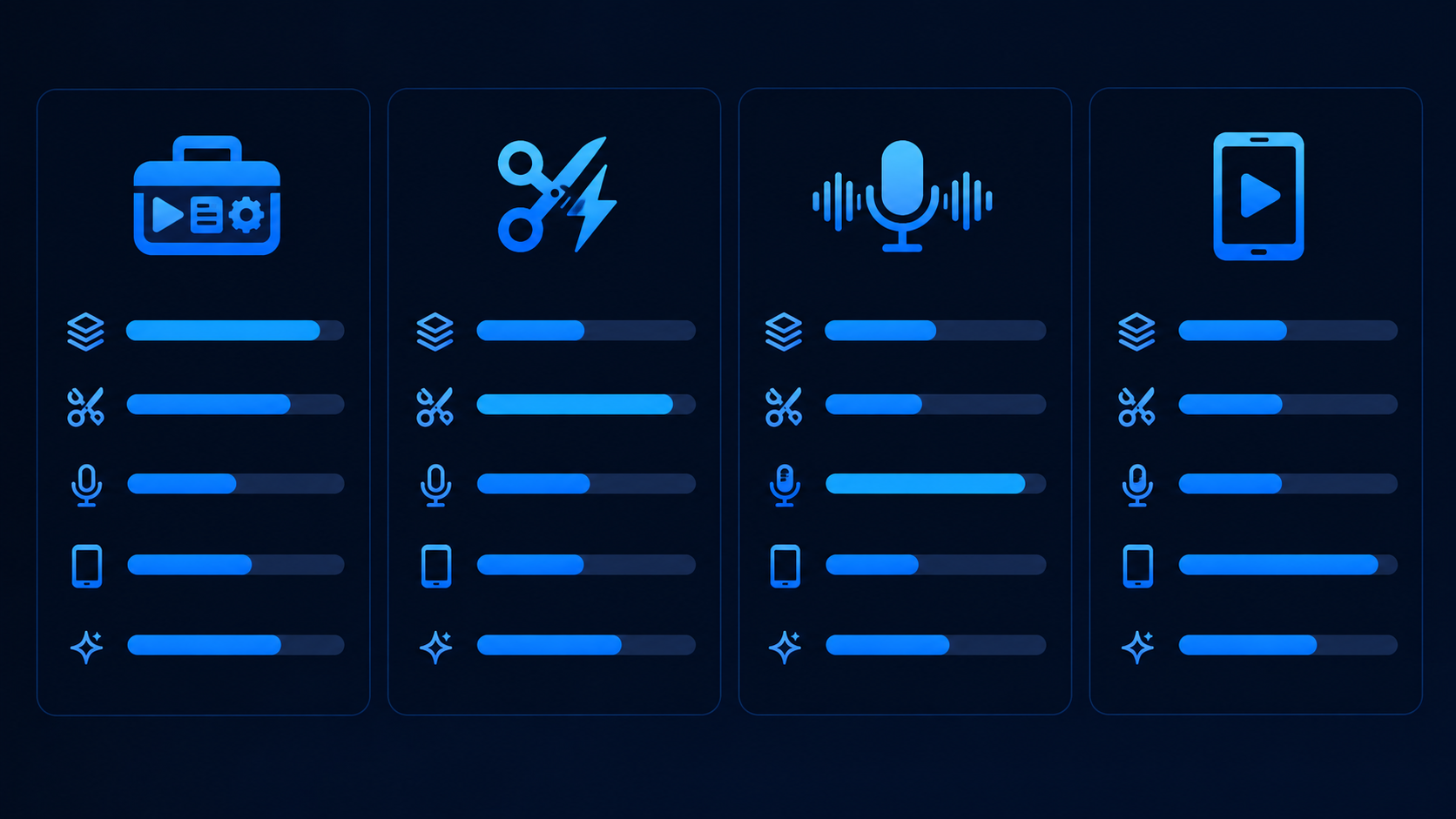
Descript's pricing has generated genuine user frustration since the 2025 shift to a credit-based model, and understanding the current structure — including the inconsistencies between what different sources report — is essential before subscribing.
Free — $0/month Approximately 60 minutes of transcription per month (some sources report a five-hour allocation; verify current limits at descript.com before signing up, as reported figures vary), 720p watermark-free exports, and access to the basic editing toolset. AI features including filler word removal and Studio Sound are available but draw from a small monthly credit pool. The free tier is sufficient for testing Descript's interface and workflow fit but not for regular production use — the credit allocation is exhausted quickly under any consistent usage.
Hobbyist — $12 to $16/month (varies by source; $16/month annually is the most commonly cited current rate) Raises the transcription limit to approximately 10 hours per month, higher export resolutions, and a modest increase in AI credit allocation. This tier suits a single podcast episode per month or light social media clipping — but credit constraints remain a real limitation for anything beyond occasional use.
Creator (formerly the mid-tier, now sometimes listed as the primary recommended plan) — $24/month ($16 to $24/month billed annually depending on source) This is the tier where Descript becomes a serious production tool. Creator adds Overdub voice cloning, a significantly expanded Underlord credit allocation, AI clip generation, Eye Contact correction, and Green Screen background removal. Creator is the recommended tier for podcasters publishing weekly and YouTube creators with a regular upload schedule. Reviewers note that the $24/month price is roughly comparable to a single Riverside.fm subscription, a single Otter.ai subscription, and a Canva Pro subscription combined — context that supports Descript's "all-in-one" value proposition when the comparison is against assembling an equivalent toolkit from separate specialized tools.
Business — $40 to $65/user/month (reported figures vary meaningfully across sources; verify current rate directly with Descript) Adds a larger AI credit pool, team collaboration features, priority support, and API access. At this price point, Business is meaningfully more expensive than Creator for solo operators and makes the most sense for production agencies or marketing teams where multiple editors need access and the credit volume across a team justifies the per-seat cost.
Enterprise — Custom pricing SSO and SCIM provisioning, custom AI controls, flexible licensing arrangements, and dedicated support for large-scale deployments. Available on request for organizations with governance and security requirements beyond the standard Business tier.
Annual billing saves approximately 33% compared to monthly billing across the tiers where this discount is documented — a meaningful saving for any user who has confirmed Descript fits their production workflow.
The honest pricing reality that requires direct verification: Multiple independent 2026 reviews report meaningfully different specific price points and credit allocations for the same plan tiers — a strong signal that Descript's pricing has been adjusted multiple times within 2026, or that regional and promotional pricing variations create genuine inconsistency across sources. Before committing to any tier, verify the current exact pricing and credit allocations directly at descript.com, as this review's figures represent a synthesis of multiple recent sources that do not fully agree with each other.
The credit system friction that deserves direct acknowledgment: The shift from simple minute-based plans to metered AI credits in 2025 created documented user frustration specifically because credits are less predictable to budget than transcription minutes, and because failed Underlord tasks in some reported cases still consume credits without producing a usable result. Any user evaluating Descript in 2026 should factor in the learning curve of understanding and monitoring credit consumption as a real, if modest, additional cost beyond the subscription price itself.
Pros and Cons
Pros
Text-based editing paradigm remains genuinely faster and more intuitive than timeline scrubbing for spoken-word content — the category-defining innovation still works
Underlord's July 2026 update transformed the AI layer into a genuinely agentic co-editor capable of multi-step instruction chains
Overdub 3.0 voice cloning requires just 3 minutes of training audio and now includes emotional intonation control (V50)
Studio Sound 4.0 produces professional-grade audio restoration with automatic stem separation and near-zero introduced artifacts
B-roll placement accuracy improved from approximately 60% to 92% in the 2026 update
Viral clip finder and automated show notes, chapters, and SEO blurbs generate publishing-ready assets directly from the transcript
Rooms remote recording captures separate high-quality local tracks per speaker regardless of connection quality
Used by 6 million-plus creators and teams including Microsoft, Apple, Amazon, Spotify, Reuters, The New York Times, and Coca-Cola — proven at scale
5,900-plus companies globally rely on Descript as production infrastructure
All-in-one consolidation replaces the need for separate transcription, recording, editing, and clip-generation tools
Native Zapier and Make integrations plus an early-access API for automated production pipelines
Free plan available for genuine workflow evaluation without credit card commitment
Annual billing saves approximately 33% for confirmed regular users
Cons
Credit-based pricing model introduced in 2025 has generated documented, ongoing user frustration around unpredictability compared to the simpler minute-based plans it replaced
Failed Underlord tasks reportedly still consume credits in some cases without producing a usable output
Similarweb reported a 10.19% traffic decline in July 2026 — a signal worth monitoring for platform momentum, even though usage scale remains large
Pricing details vary meaningfully across independent 2026 sources — verify current rates directly before subscribing rather than relying on any single review's figures
Timeline tools still trail dedicated NLEs like Premiere Pro and Final Cut Pro for visually complex, motion-graphics-heavy production
No offline editing — an internet connection is required for the platform's core functionality
Performance on heavy, complex projects is still improving according to multiple 2026 reviews — large multi-hour projects with extensive B-roll and effects can encounter stability issues
The two-meter pricing structure (media hours plus AI credits counted separately) requires active budget attention that a simpler single-metric pricing model would not demand
Opus Clip reportedly outperforms Descript's built-in clip finder specifically on viral clip selection sharpness, despite Descript's workflow consolidation advantage
Who Should Use Descript?
Descript delivers the strongest value for:
Podcasters who need a consolidated workflow covering remote recording, transcript-based editing, audio restoration, and social clip generation without managing multiple separate tools
YouTubers and talking-head video creators who want to dramatically compress editing time on spoken-word content and efficiently repurpose long-form uploads into short-form social clips
Course creators and corporate training teams who need accurate searchable transcripts, error-correction via Overdub without re-recording, and screen recording capability within one platform
Journalists and interview-based content creators who benefit from transcript-first search and editing across recorded conversations
Social media managers and content repurposing teams producing volume clip output from long-form source recordings, where workflow consolidation outweighs marginal clip-selection quality differences versus dedicated tools
Who Should Consider Alternatives
Teams whose sole need is viral clip generation from existing long-form content with no source editing required — Opus Clip's narrower, sharper focus on clip selection may be the more appropriate specialized tool
Creators whose primary output is simple, single-purpose talking-head clips on mobile — CapCut's lighter, faster, mobile-native workflow may be more accessible for this specific use case
Video producers working on visually complex projects — motion graphics, advanced color grading, compositing-heavy work — where traditional NLEs like Premiere Pro or Final Cut Pro remain the more capable tools
Budget-conscious users who need predictable, simple pricing — the credit-based model's documented unpredictability is a real friction point for users who prioritize budget certainty over feature depth
Users requiring offline editing capability — Descript's cloud-dependent architecture is not appropriate for workflows requiring offline access
Getting the Most Out of Descript — Practical Tips
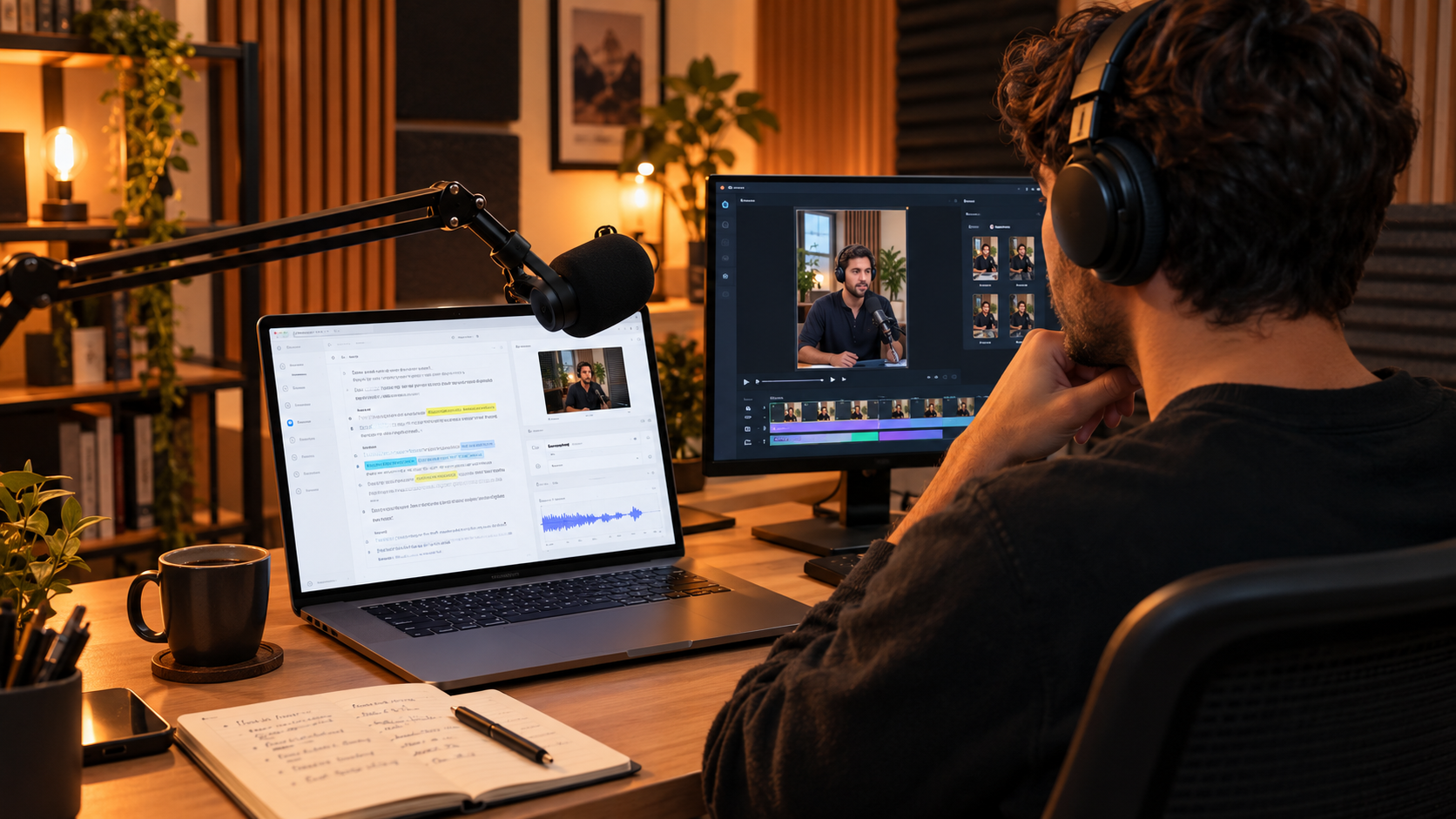
Label speakers before running AI summarization prompts. Descript's transcript accuracy for AI-generated summaries, show notes, and clip identification improves meaningfully when speakers are correctly labeled in advance — this is a small upfront step that noticeably improves Underlord's output quality on multi-speaker recordings.
Highlight surrounding text before asking Underlord to write scripts or summaries. Underlord performs better when it has explicit contextual scope rather than being asked to work from the entire document blindly. Selecting the relevant section before issuing an instruction produces more targeted, accurate results.
Add specific descriptors when generating AI B-roll. Generic B-roll requests produce generic results. Adding lighting and camera language — "golden hour," "macro lens," "handheld documentary style" — to B-roll generation prompts consistently produces more usable, less generic visual output.
Monitor your credit consumption actively, especially in the first month. Given the documented unpredictability of the credit system, checking your usage dashboard regularly in your first weeks on any paid tier gives you the data needed to understand your actual burn rate before committing to annual billing or a higher tier.
Use Rooms for any remote recording where audio quality matters. The separate local high-quality track capture in Rooms is a meaningful upgrade over standard video call recording, and using it consistently for remote interviews removes a common source of unfixable audio quality problems that no amount of post-production Studio Sound processing can fully repair.
The Honest Limitations Worth Understanding
The traffic decline reported by Similarweb in July 2026 — a 10.19% drop — is worth taking seriously as a signal, even though it does not necessarily indicate declining product quality. The AI video and editing tool market in 2026 is intensely competitive, with specialized tools like Opus Clip, CapCut, and Runway each capturing specific use cases that Descript addresses more generally. Some of Descript's traffic movement likely reflects users adopting a more fragmented toolkit of specialized tools rather than a single all-in-one platform — a legitimate strategic choice for some workflows, even if it means managing more subscriptions.
The credit pricing model's documented unpredictability deserves continued attention from any prospective user. The frustration is not simply about cost — it is about budget predictability. A minute-based plan tells you exactly what a month of use will cost before you start. A credit-based plan requires active monitoring and creates the possibility of running out of capacity mid-project in a way that feels less controllable, particularly when failed AI tasks are reported to still consume credits in some cases.
The performance concerns on heavy, complex projects reported across multiple 2026 reviews are a real technical limitation worth testing directly against your specific project scale before committing budget to an annual plan. If your production involves long multi-hour recordings with extensive B-roll and effects layering, testing Descript's stability on a project of comparable scope during a free or lower-tier evaluation period is a worthwhile diligence step.
Final Verdict: Is Descript Worth It in 2026?
For anyone whose content is fundamentally spoken-word — podcasts, interviews, talking-head video, course lectures, corporate training — Descript remains, six years after inventing the category, one of the most genuinely productivity-transforming tools available. The text-based editing paradigm is not a gimmick. It is a faster, more intuitive way to work with this specific type of content, and the compounding time savings across a regular production schedule are real and well-documented across a user base of 6 million-plus creators and teams including some of the world's largest media and technology organizations.
Underlord's evolution into a genuine agentic co-editor in the July 2026 update is the most significant recent improvement, moving Descript from a toolkit of individual AI buttons toward something closer to a delegated production assistant.
The honest caveats — the credit pricing friction, the reported traffic decline, the pricing inconsistency across sources, and the performance concerns on heavy projects — are real and worth weighing directly against your specific production needs rather than dismissing. Test the free tier against a real production task before committing budget to any paid tier, and verify current pricing directly at descript.com given the documented inconsistency in reported figures across 2026 sources.
For the specific job of editing spoken-word content faster, Descript remains difficult to beat in 2026. Whether the current pricing structure and platform trajectory justify the Creator tier's cost for your specific production volume is a decision worth making with direct, current pricing verification rather than relying on any single review's figures — including this one.
Start Editing With Descript
The free plan requires no credit card and gives you access to all 30-plus AI features at a limited monthly allocation — enough to genuinely test whether the text-based editing paradigm fits your production workflow before committing to any paid tier.
Try Descript free → — Free plan available. No credit card required. Verify current pricing at descript.com before upgrading.
Frequently Asked Questions
What is Descript used for? Descript is an AI-powered audio and video editing platform where you edit recordings by editing their transcript — deleting text removes the corresponding video and audio automatically. It is used for podcast production, YouTube video editing, course and training content creation, and social media clip generation, combining transcription, editing, voice cloning, audio restoration, and publishing tools in a single platform.
How much does Descript cost in 2026? Descript offers a free plan with limited monthly transcription and credit allocation, a Hobbyist plan around $12 to $16/month, a Creator plan around $24/month (the recommended tier for regular production use), and a Business plan ranging from $40 to $65/user/month depending on the source consulted. Pricing has been reported inconsistently across 2026 reviews — verify current rates directly at descript.com before subscribing.
What is Underlord in Descript? Underlord is Descript's AI assistant, which evolved significantly in a July 2026 update from a set of individual one-click AI tools into an agentic co-editor capable of executing multi-step natural language instructions — such as removing filler words, tightening pauses, adding captions, and generating social clips from a single request.
Is Descript good for podcasters? Yes. Podcasting remains Descript's core and most complete use case, combining remote recording (via Rooms), transcript-based editing, Studio Sound audio restoration, automated show notes and chapter generation, and viral clip creation for social promotion within a single platform.
How does Overdub voice cloning work? Overdub creates an AI clone of your voice from as little as 3 minutes of training audio (Overdub 3.0). It is primarily used to correct flubbed or incorrect lines by typing the correction, with the AI generating matching audio in your cloned voice — avoiding the need for a full re-recording session.
Is Descript better than Opus Clip for viral clips? Descript's built-in viral clip finder is convenient because it operates within the same platform as your full edit, avoiding export and reimport steps. However, multiple 2026 reviews note that Opus Clip, as a dedicated and narrower tool, is sharper specifically at viral clip selection. The right choice depends on whether workflow consolidation or clip-selection precision matters more for your specific use case.
Does Descript work offline? No. Descript requires an internet connection for its core functionality, which is a limitation for users who need offline editing capability in environments with unreliable connectivity.
Founder, Axionova · AI Tools Strategist
Ashir writes independent, hands-on reviews of AI tools and shares strategies for creators, marketers, and entrepreneurs. Every review is grounded in real usage — no paid placements, no fluff. Read our editorial standards.
AI Insights Weekly
One curated email a week: sharp AI insights, tool reviews, and strategies.
Have thoughts on this?
Contact us or share this article on social media — we'd love to hear what resonated with you.