Gamma AI Review 2026: How 70 Million People Are Creating Stunning Presentations, Docs, and Websites in 60 Seconds Flat
A comprehensive Gamma AI review for September 2026 covering the platform's 70 million users and $2.1B valuation, prompt-to-presentation generation in 60 seconds, Gamma Agent AI assistant, Gamma Imagine marketing visual launch (March 2026), Generate API general availability, responsive card format, multi-format output, full pricing from free to $100/month, competitor comparisons with PowerPoint and Canva, and honest limitations including the one-time free plan credit model.

There is a specific kind of creative paralysis that happens when you open PowerPoint or Google Slides for a new presentation.
The blank canvas. The default font. The twelve different layouts that somehow all look wrong for what you are trying to say. The three hours that pass between opening the file and having a first draft that looks remotely like a professional presentation. The additional hour of sourcing images that are not obviously stock photos. The moment you realize the color palette is inconsistent across twelve slides and you have no idea how to fix it.
Gamma eliminates all of that.
Type what you need. Hit generate. Sixty seconds later — a complete, visually polished presentation with relevant content, images, appropriate layouts, and a consistent design system, all produced automatically from a single text prompt.
That sounds like marketing language. It is also what 70 million people have verified in practice, generating over 250 million pieces of content across presentations, documents, websites, and social graphics since the platform launched. Gamma crossed $100 million in annual recurring revenue in late 2025. Andreessen Horowitz led the $68 million Series B at a $2.1 billion valuation. G2 rates the platform at 4.7 out of 5 across more than 1,000 verified reviews, making it the highest-rated AI presentation tool of 2026.
PrimeAICenter's 2026 content creator AI stack specifically names Gamma alongside Claude for writing and ElevenLabs for voice as the three tools that define the modern solo content creator workflow. The September 2026 AI Tool Newsletter names it in the essential founder toolkit alongside ChatGPT, Perplexity, n8n, and ElevenLabs.
This Gamma AI review covers everything you need to make an informed decision: every major feature including Gamma Agent and the March 2026 Gamma Imagine launch, the complete and honest pricing structure, every real-world use case, honest comparisons with PowerPoint, Canva, and Beautiful.ai, and the genuine limitations that most Gamma reviews do not address.
What Is Gamma AI?
Gamma is an AI-powered content creation platform founded in 2020 in San Francisco by Grant Lee, James Fox, and Jon Noronha. The platform generates presentations, documents, websites, and social graphics from text prompts — producing visually polished, professionally structured content in under sixty seconds without requiring any design skill, slide formatting knowledge, or creative direction from the user beyond describing what they need.
The platform's architectural premise differs fundamentally from PowerPoint or Google Slides. Traditional presentation tools give you a blank canvas and a set of tools for placing elements on it — the creative and design work is yours to perform. Gamma generates the entire presentation from your description, then lets you edit the output rather than requiring you to build from zero.
The content format Gamma uses — responsive cards rather than fixed-dimension slides — also separates it architecturally from traditional slide tools. Gamma cards adapt automatically to any screen size, ensuring consistent presentation quality whether the audience views the deck on a phone, tablet, laptop, or widescreen monitor. Traditional slides break when viewed outside their intended aspect ratio. Gamma cards do not.
The scale metrics that validate the product: 70 million-plus registered users, 250 million-plus pieces of content generated, $100 million ARR, $2.1 billion valuation, SOC 2 Type II certification achieved October 2025, and the Gamma Generate API going generally available in January 2026 — opening the platform to developer integration across enterprise workflows.
Why Gamma Is the Trending AI Tool of September 2026
Three developments in 2026 specifically accelerated Gamma's trending status in the September 2026 AI tool landscape.
The first is Gamma Imagine, launched March 17, 2026. Gamma Imagine is a new AI image generation product within Gamma specifically built for marketing assets — charts, data visualizations, social graphics, and infographics. The launch positioned Gamma as a direct competitor to Canva and Adobe's creative tools in the marketing visual production category, significantly expanding the platform's relevance beyond presentations into the broader visual content creation market.
The second is the Gamma Generate API reaching general availability in January 2026. The API allows developers to programmatically trigger Gamma's AI generation capabilities from external applications, enabling workflows where presentations, documents, or websites are auto-generated from data sources, CRM inputs, or external triggers without manual Gamma interface interaction. This enterprise integration capability expanded Gamma from a web application into infrastructure — a platform businesses can embed in their operational workflows.
The third is the growing content creator economy recommendation. PrimeAICenter, one of the most referenced AI tool ranking platforms of 2026, explicitly recommends Gamma as part of the ideal content creator AI stack — specifically for its ability to turn ideas into visually structured decks and web pages without manual design. In a market where solo creators are building content businesses with small or zero-person teams, a tool that eliminates slide design entirely is not a nice-to-have. It is a competitive advantage that compounds across every deliverable.
According to McKinsey's research on the creative productivity impact of AI tools, knowledge workers in marketing, strategy, and communications roles spend an average of 19% of their working hours on presentation creation and formatting — time that generates no independent value beyond the presentation itself. Gamma directly targets this 19% with automation that compresses it to under 5%.
Core Features of Gamma AI in 2026
Prompt-to-Presentation in 60 Seconds — The Core Capability
The flagship capability is prompt-to-presentation generation: you type a topic, paste rough notes, upload a document, or provide a brief description, and Gamma generates a complete multi-slide presentation in under sixty seconds.
What the generation covers automatically: relevant content written for the topic, section-by-section structure, image selection from integrated stock photo libraries, color scheme and typography choices based on the selected theme, layout selection matching the content type of each card, and visual hierarchy ensuring the most important information is appropriately emphasized.
The practical quality test that experienced users consistently apply: entering a specific, professional topic rather than a generic one. "Digital marketing trends 2026 with focus on AI and social media" produces a 15-slide deck with sections on AI tools, social media algorithms, content strategies, and relevant statistics — far beyond the generic placeholder content that simpler AI presentation tools generate.
For business topics with supporting data, the generated content is consistently described by reviewers as usable as a starting point with specific advantages: it uses real statistics where they are available in the AI's training data, it structures arguments in a logical sequence, and it selects imagery that matches the thematic register of the content rather than filling slides with generic stock photos.
Card-Based Responsive Format
Gamma's content unit is the "card" rather than the slide. This is not a cosmetic difference — it is an architectural one with practical consequences.
Traditional slides have fixed pixel dimensions. Gamma cards are responsive HTML — they reflow, resize, and reformat automatically based on the viewing environment. A presentation shared via Gamma's web link looks identical on a 4K desktop monitor and on a mobile phone screen, with content appropriately sized for each display. A traditional PowerPoint exported to a link looks broken on mobile because it was designed for a specific screen ratio.
This card format also enables content types that slides cannot accommodate: embedded video, interactive iframes, live data from connected sources, scrollable long-form content, and embedded forms and calendars — all within a single Gamma card, rendered as a web page rather than a static image.
For presentations shared with external audiences — investors, clients, prospects — the web link delivery means the presenter controls the viewing experience completely. No PowerPoint compatibility issues. No "the font looks different on your computer." No compression artifacts from email attachment size limits.
Gamma Agent — The AI Iteration Assistant
Gamma Agent is the AI chat interface built directly into the Gamma editor. After the initial generation, Gamma Agent accepts follow-up instructions in natural language to modify, extend, refine, or restructure any aspect of the generated content.
"Make slide three more data-focused and add a comparison table." "Add a slide about competitive positioning between the market size slide and the roadmap slide." "Change the tone to be more formal for a board presentation." "Generate five variations of the title slide with different headline framings." These instructions execute immediately, producing the requested change within seconds without requiring manual editing of individual slide elements.
The practical workflow impact: instead of spending time manually adjusting layouts, rewriting copy, and repositioning elements, the user directs Gamma Agent to make changes through natural language and evaluates the outputs. The creative direction remains human. The execution becomes automated.
Multi-Format Output — Presentations, Docs, Websites, and Social Graphics
Gamma is not a single-format tool. The same AI generation engine produces four distinct output types from the same prompt or source material.
Presentations are the core use case — multi-card decks suitable for board meetings, investor pitches, client presentations, conference talks, and internal team updates.
Documents are long-form written outputs with Gamma's responsive formatting — suitable for reports, proposals, research summaries, and knowledge articles where the content needs more narrative depth than a presentation provides.
Websites are single-page and multi-page web presences built and published directly within Gamma. Landing pages, portfolios, event pages, product pages, and microsites — all published at a Gamma URL or a custom domain, no coding required, with mobile responsiveness built in. Custom domain support scales from 10 domains on Pro to 100 on Ultra.
Social graphics — available through Gamma Imagine, launched March 2026 — generate marketing visuals, infographics, data charts, and social media assets from prompts, positioning Gamma as an alternative to Canva for teams that want AI generation rather than manual template design.
Smart Layouts — Instant Visual Structure
Smart Layouts are the specific feature that addresses the most time-consuming part of manual slide design: organizing visual structure from written content.
Select a section of content within a Gamma card and apply a Smart Layout to instantly organize it into a multi-column grid, a timeline sequence, a comparison table, a feature list with icons, or a numbered step sequence — all appropriately formatted without manual positioning, alignment, or spacing work.
For professionals who know what content structure they want but do not want to spend time achieving it manually, Smart Layouts compress what was previously a design task into a selection from a menu.
Advanced Charts and Data Visualization
Gamma generates charts and data visualizations from data you provide or describe. Paste a dataset into a card and Gamma produces an appropriate chart type — bar, line, pie, scatter — with styling that matches the deck's visual theme.
For strategy, finance, marketing, and operations presentations where data visualization is central to the communication goal, Gamma's chart generation removes the Excel-to-PowerPoint copy-paste workflow that wastes significant time in traditional presentation workflows.
The Power BI and Airtable integrations extend this capability to live data sources — charts in a Gamma presentation can pull from connected data systems and update automatically when the underlying data changes, making Gamma viable for recurring reporting workflows where the same deck structure is re-used with fresh data each cycle.
Analytics — Understanding How Your Presentation Performs
Gamma includes presentation analytics on paid tiers: view counts, time-on-slide tracking, engagement depth, and geographic distribution of viewers.
For sales and marketing teams whose presentations are active commercial tools — investor decks, sales proposals, product pitch materials — knowing which slides hold attention and which lose it is actionable intelligence for refining the presentation's commercial effectiveness. The analytics dashboard surfaces this data without requiring external analytics integration.
Integrations — Fitting Into Existing Workflows
Gamma's integration library covers the most common business tool connections:
Workflow automation through Zapier (8,000-plus apps) and Make, enabling trigger-based Gamma generation as a step in automated workflows. Embeddable content from Figma, Miro, Airtable, Power BI, Google Drive, and Microsoft Office 365 — allowing live external content within Gamma cards. Video embedding from YouTube, Vimeo, and Loom. Forms from Typeform, Google Forms, Jotform, Tally, and Calendly embedded directly in presentations. Document import from Microsoft Word — paste or upload a Word document and convert it into a Gamma presentation automatically.
The Gamma Generate API, generally available since January 2026, allows programmatic creation of presentations, documents, and websites from code — enabling enterprise workflows where content is generated from CRM data, content management systems, or external data triggers without manual Gamma interface interaction.

Real-World Use Cases
Startup Founders and Investor Pitches
For founders who need to produce investor decks, board updates, product roadmaps, and team presentations regularly without a design team, Gamma is the most time-efficient presentation tool available.
A first-draft investor pitch deck — problem, solution, market size, business model, traction, team, ask — can be generated in under two minutes from a structured prompt. The generated structure follows proven pitch deck logic, the visual design is polished enough for a first meeting, and Gamma Agent handles refinement from there.
The web link delivery format is specifically advantageous for investor pitches: the founder sends a link, the investor opens a professionally rendered presentation in their browser without downloading a PowerPoint file, and the analytics show the founder exactly which slides the investor spent time on — valuable intelligence for following up on the right topics.
Marketing and Sales Teams
Marketing teams use Gamma for client presentations, campaign strategy decks, agency pitches, and internal performance reviews. Sales teams use it for account proposal decks, product demo materials, and customized prospect presentations.
The AI generation capability is most valuable for teams producing high volumes of customized presentations — a sales team where each rep needs a customized deck for each prospect, or a marketing agency producing client deliverables across multiple accounts simultaneously. Gamma compresses the production time per deck while the Agent handles account-specific customization through natural language instructions rather than manual slide-by-slide editing.
Gamma Imagine, launched March 2026, extends the platform's marketing utility to social graphics and campaign visual assets — enabling marketing teams to produce a complete visual asset set (presentation, supporting infographics, social graphics) from the same source material within a single platform.
Educators and Students
For educators building course presentations, lecture materials, and student resource decks, Gamma's generation speed and responsive format address the two most common frustrations with traditional slide tools: the time investment in visual design and the broken formatting when slides are viewed on different devices.
Students use Gamma for class presentations, project summaries, and research presentations — the free tier's 400 credits covering a semester of typical presentation requirements without subscription cost.
The document format is particularly relevant for educational use: Gamma documents can be structured as interactive study guides, lesson notes, or reading material — combining the visual engagement of a presentation with the content depth of a written document, accessible via a web link on any device.
Content Creators and Course Producers
PrimeAICenter's content creator AI stack recommendation reflects the specific value Gamma provides for solo creators: the ability to produce professionally structured visual content — presentations, course materials, landing pages, content documents — without requiring a graphic designer or significant time investment in visual formatting.
A content creator building an online course can generate module presentation decks from lesson outlines, produce a landing page for the course using Gamma's website feature, and create supporting infographic assets with Gamma Imagine — all within a single platform, without touching Canva, PowerPoint, or a web builder separately.
Consultants and Professional Service Firms
For consultants and professional service firms where presentation quality is directly associated with perceived professional credibility, Gamma addresses the specific challenge of maintaining design consistency across a high volume of client deliverables.
The AI generation produces a consistent visual baseline across all generated content, and the theme system ensures that all presentations within an organization's workspace reflect the same design language — without requiring manual template enforcement on every new deck.
The analytics feature is particularly relevant for consulting and advisory presentations: knowing that a client spent twelve minutes on the risk assessment slide and thirty seconds on the recommendations slide is actionable intelligence for the follow-up conversation.
How Gamma Compares to the Competition
Gamma vs Microsoft PowerPoint
PowerPoint is the default comparison because it is the presentation tool most users are replacing or supplementing with Gamma. The comparison is not genuinely competitive in 2026 — they serve fundamentally different use cases.
PowerPoint is a manual design tool for users who want full creative control over every element of a presentation and are willing to invest the time that control requires. For presentations where every pixel matters — brand-critical enterprise communications, high-stakes investor presentations requiring unique visual identity — PowerPoint in the hands of a skilled designer produces outputs that Gamma cannot match.
Gamma is an AI generation tool for users who want professional-quality presentations without investing design time. For the vast majority of presentations — internal updates, client proposals, team briefings, educational content, marketing materials — Gamma's 60-second generation produces results that are indistinguishable in quality from a competent PowerPoint producer's several-hour effort.
The practical recommendation most independent reviewers make: Gamma for generation speed and volume, PowerPoint for brand-critical presentations requiring custom visual identity and pixel-perfect control.
Gamma vs Canva AI
Canva and Gamma target overlapping audiences — both serve non-designers who want visually polished content without design expertise. The architectural difference is meaningful.
Canva is template-first: users select a template and modify it, with AI features assisting specific tasks within that template-driven workflow. Gamma is generation-first: the AI produces the full content and layout from the prompt, with the user editing the generated result rather than working within a selected template.
Gamma's March 2026 Gamma Imagine launch — producing marketing visuals, infographics, and social graphics — directly competes with Canva's core visual creation use case. For users whose primary output is presentation decks, Gamma is clearly preferable. For users whose primary output is social media graphics, email headers, and marketing collateral, Canva's larger template library and more granular visual design control make it more appropriate.
The practical recommendation: Gamma for presentations, documents, and websites. Canva for social media graphics and template-driven marketing collateral. Gamma Imagine for teams already using Gamma who want to consolidate marketing visual creation into the same platform.
Gamma vs Beautiful.ai and Tome
Beautiful.ai and Tome are the most direct AI presentation competitors to Gamma. Both target a similar audience — professionals who want AI-assisted presentation creation — with different feature priorities.
Beautiful.ai's strength is SmartSlide templates with more opinionated design rules that enforce visual consistency. It is the preferable choice for enterprise teams with strict brand compliance requirements and dedicated presentation designers who want AI to assist within their established design framework.
Tome discontinued its AI presentation product in 2024 and pivoted to sales enablement, leaving Gamma as the category leader without a directly comparable competitor at its scale.
According to Wyzowl's State of Video and Presentation Marketing Report 2026, 79% of professionals report that the quality of a presentation's visual design directly affects their perception of the presenter's credibility — making design quality not a vanity metric but a commercial outcome variable. Gamma's automated design system targets this perception gap for the majority of users who currently produce below-quality presentations due to time or skill constraints.
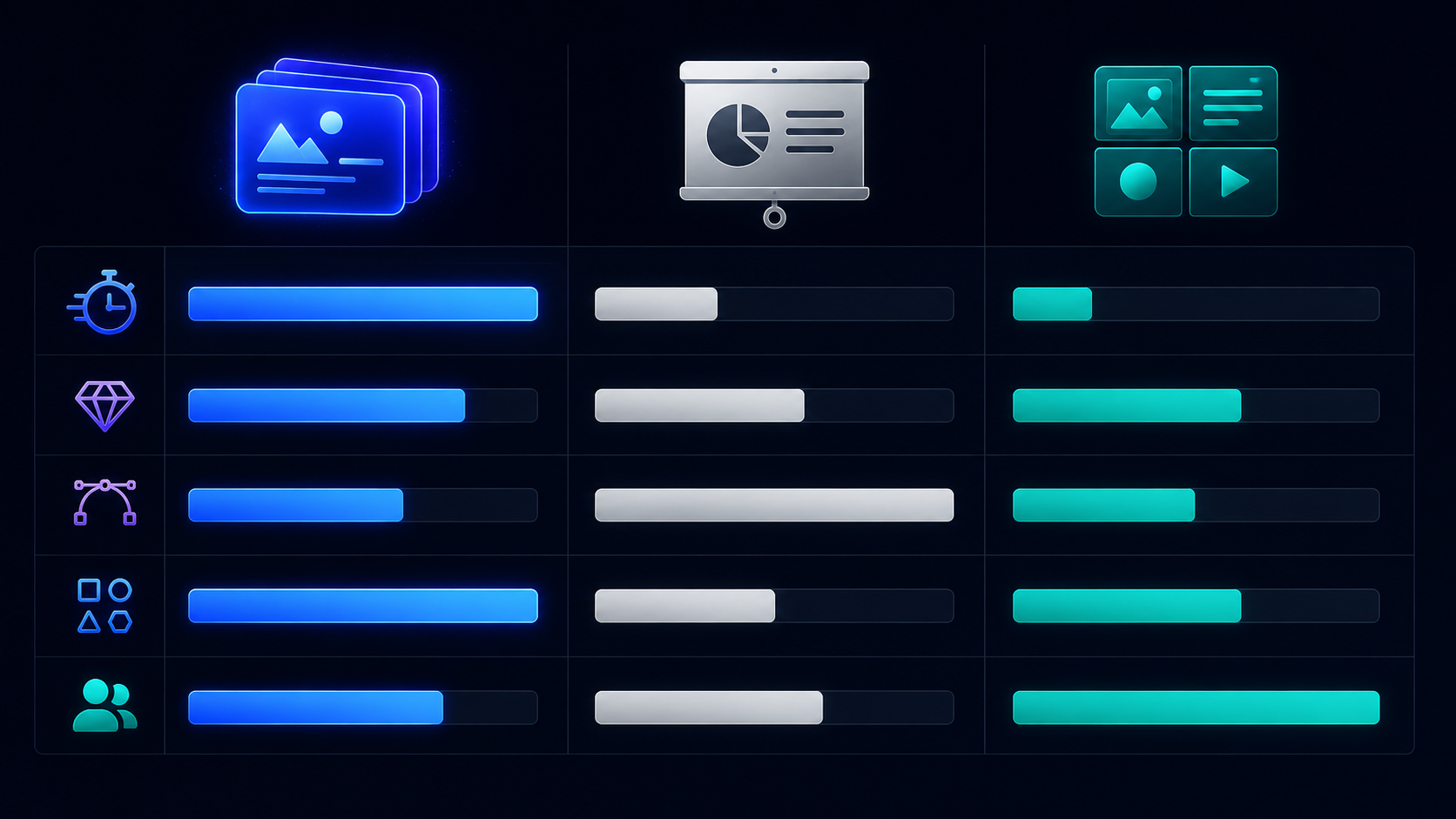
Gamma Pricing — The Complete and Honest 2026 Breakdown
Gamma's pricing is structured around individual plans and team plans, with the critical caveat that the free plan's credits are one-time rather than monthly — a detail that produces user confusion and is worth understanding clearly before signing up.
Free Plan — $0/month 400 AI credits — one-time, not monthly. Approximately 10 AI-generated presentations at standard length. Basic features, Gamma branding on all published content, limited theme access, basic analytics. The free plan is genuinely useful for evaluating Gamma's quality and workflow fit. It is not designed as a permanent working tier for regular professional use — 400 one-time credits exhausts within the first month of active use for most professionals.
Plus Plan — $8/month (billed annually) or $10/month (billed monthly) Unlimited AI generations (no credit cap on Plus and above), Gamma branding removed, full theme library, custom fonts, basic presentation analytics, standard support. Plus is the correct entry point for any individual professional using Gamma regularly. The unlimited AI generation removes the credit anxiety that characterizes the free tier, and removing Gamma's watermark branding is essential for client-facing professional use.
Pro Plan — $15/month (billed annually) or $25/month (billed monthly) Everything in Plus, plus advanced analytics (time-on-slide, viewer geography, engagement depth), password protection for private presentations, 10 custom domain connections for published websites, advanced export options (PDF with maintained formatting, PowerPoint export), and priority support. Pro is the appropriate tier for sales teams using analytics to optimize commercial presentations and for consultants publishing client-facing web content on custom domains.
Ultra Plan — $35/month (billed annually) or $100/month (billed monthly) Everything in Pro, plus 100 custom domain connections, the highest AI generation priority (faster queuing during peak demand), and access to the most advanced AI models for generation. Ultra is appropriate for agencies and power users producing high-volume content across many client domains simultaneously.
Team Plan — $20/seat/month (billed annually) Includes Pro-level features for every seat, plus centralized workspace management, shared theme library, team-level analytics, and admin controls. Team is the correct tier for organizations where multiple people produce Gamma content and brand consistency across all output is a requirement.
The honest pricing analysis: The annual billing discount is substantial — Plus drops from $10/month to $8/month, Pro from $25/month to $15/month, creating a 20 to 40% saving depending on tier. For professionals who have verified Gamma fits their workflow, annual billing is clearly the economically rational choice.
The free plan's one-time credit model is the pricing detail that generates the most user frustration. Users who sign up expecting monthly credit renewal discover after exhausting their initial 400 credits that the free plan does not refresh. The Plus plan at $8/month with unlimited generations resolves this immediately and is the appropriate minimum commitment for regular professional use.
Pros and Cons
Pros
Prompt-to-presentation generation in under 60 seconds — the fastest AI presentation creation available at professional quality
70 million-plus users and 250 million-plus pieces of content generated — proven at scale, not experimental
$100M ARR and $2.1B valuation with Andreessen Horowitz — platform financial stability confirmed
G2 rating of 4.7/5 across 1,000-plus verified reviews — the highest rating in the AI presentation category
Multi-format output: presentations, documents, websites, and social graphics (Gamma Imagine) from one platform
Gamma Agent AI assistant for natural language editing and refinement after generation
Responsive card format — presentations display correctly on any device without the broken formatting of fixed-dimension slides
Smart Layouts for instant visual structure of written content
Analytics on Pro plans and above — view tracking, time-on-slide, engagement depth, viewer geography
Gamma Generate API (GA since January 2026) for programmatic enterprise content generation
Zapier and Make integration for workflow automation trigger-based Gamma generation
SOC 2 Type II certified — enterprise security compliance
Embeds Figma, Miro, Airtable, Power BI, YouTube, Vimeo, Typeform, and more directly in cards
Microsoft Word import to presentation conversion
Custom domain publishing for websites (up to 100 on Ultra)
Free plan available for quality evaluation without credit card requirement
Cons
Free plan's 400 credits are one-time, not monthly — a source of significant user frustration that is not clearly communicated at signup
No true workspace-level brand enforcement — team members must manually select the correct theme per presentation rather than having a brand template applied automatically across the workspace
Export quality for PowerPoint and PDF is functional but not pixel-perfect — brand-critical presentations that will be heavily edited in PowerPoint post-export may encounter formatting inconsistencies
Gamma's card format does not support multi-column slide layouts that complex data-heavy enterprise presentations sometimes require
AI-generated content for highly technical or specialized professional topics (legal, medical, financial) requires significant fact-checking and editorial refinement before professional use
Custom domain connections on the Plus plan are not included — publishing Gamma websites on custom domains requires the Pro plan and above
Team plan lacks granular permission controls that enterprise IT governance standards may require — large organizations with strict role-based access requirements should evaluate the Enterprise tier carefully
Not designed for real-time collaborative editing in the Google Docs style — simultaneous multi-user editing within the same presentation has limitations compared to Google Slides co-editing
Who Should Use Gamma AI?
Gamma delivers the strongest value for:
Startup founders who need investor decks, board presentations, product roadmaps, and team briefings produced quickly without a design team
Marketing and sales teams producing high-volume customized presentations for clients, prospects, and campaigns where design quality matters but design time is scarce
Content creators and course producers who want to generate professional-quality visual content — presentations, landing pages, course materials — without a graphic designer
Consultants and professional service firms where presentation volume is high and design consistency across client deliverables is important for perceived credibility
Students and educators who need to produce presentation-format content regularly without significant time investment in slide design
Solo entrepreneurs and freelancers who need to produce client-facing materials at professional quality without the overhead of hiring a designer
Who Should Consider Alternatives
Large enterprises requiring workspace-level brand enforcement with strict template compliance — Beautiful.ai's design governance model or a custom PowerPoint template system may be more appropriate for organizations where off-brand presentation materials carry real risk
Professionals producing brand-critical investor or board presentations where custom visual identity and pixel-perfect design control matter — PowerPoint or Keynote in the hands of a designer produces more distinctive outputs than Gamma's theme-based generation system
Social media marketing teams whose primary output is Instagram and Twitter graphics rather than presentations — Canva's template library for social formats is deeper than Gamma Imagine's current capabilities
Real-time collaborative presentation editing similar to Google Slides — Gamma's collaboration model is share-and-comment rather than simultaneous co-editing

Getting the Most Out of Gamma AI — Practical Tips
Front-load specificity in your prompt. The single most impactful input quality improvement: replace "presentation about marketing" with "10-slide presentation on 2026 social media marketing trends for a B2B SaaS audience, covering AI-driven content, video-first platforms, and LinkedIn strategy, with a confident and data-backed tone." Gamma's generation quality scales directly with the specificity of the input prompt.
Use the document format for content-heavy deliverables. When the goal is to communicate depth of thinking rather than deliver a visual narrative — client proposals, research reports, strategy documents — Gamma's document format produces more appropriate outputs than the presentation format. The choice between presentation and document at generation time is as important as the prompt content itself.
Import Word documents to generate presentations from existing content. If you have existing written content — a strategy memo, a research report, a project brief — importing it into Gamma's Word-to-presentation conversion produces a structured deck from content you have already written, compressing the typical hours of presentation adaptation to minutes.
Use Gamma Agent for structural changes, manual editing for copy polish. Gamma Agent handles structural modifications — adding slides, changing layouts, reordering sections, adjusting tone — most efficiently. For copy refinement where specific word choice matters — a proposal headline, a key value proposition statement, a call to action — direct manual editing gives you finer control than Agent instructions.
Set up a shared theme before producing team content. For teams, establishing an agreed theme at the workspace level before individual members begin generating content ensures visual consistency across all output without requiring individual presenters to coordinate theme selection. This is the practical workaround for Gamma's lack of automatic workspace-level brand enforcement.
Limitations Worth Understanding Honestly
The content quality limitation for specialist professional topics is the most important caveat for any professional evaluating Gamma for high-stakes use. Gamma generates content from AI training data, which produces accurate and well-structured outputs for broadly documented business topics. For highly specialized technical domains — pharmaceutical regulation, financial modeling methodology, engineering specifications — the AI-generated content requires thorough expert review before professional use. The structure and visual design may be publication-ready. The specific content claims may need verification.
The free plan's one-time credit structure is a genuine transparency issue. Users who sign up without reading the pricing page in detail discover after their first few presentations that credits do not refresh. The $8/month Plus plan with unlimited generations solves this immediately and completely — but the discovery of the one-time credit model after signup consistently produces negative first impressions that the product's actual quality does not deserve.
The export quality limitation matters specifically for PowerPoint use cases. Organizations that produce in Gamma and then export to PowerPoint for internal systems that require editable PPTX files should test the export quality with their specific content before committing to a workflow that depends on it. The export is functional but not pixel-perfect for complex layouts.
And the collaborative editing model is meaningfully different from Google Slides. Gamma supports sharing, commenting, and sequential editing. It does not support the real-time simultaneous co-editing where two people can both be modifying slide content at the same moment. For teams with established real-time collaborative presentation workflows, this is a workflow change that requires evaluation.
Final Verdict: Is Gamma AI Worth It in 2026?
For anyone who produces presentations regularly and does not employ a dedicated graphic designer — which is most founders, marketers, consultants, educators, and content creators — yes, with a clear recommendation to start with the free plan and upgrade to Plus once you hit the credit limit.
The 60-second prompt-to-presentation capability is not a demo trick. It is a documented, at-scale capability verified by 70 million users producing 250 million pieces of content. The quality of the generated output — the visual design, the content structure, the image selection — is consistently above what most non-designers produce manually in hours.
The $8/month Plus plan with unlimited AI generations is the highest-value entry point for professional use. At that price, unlimited presentation generation, document creation, and website publishing with no Gamma branding is a cost that pays back in time savings within the first working day of use.
The competitive position is clear: Gamma is the category leader for AI presentation generation in 2026. No direct competitor at comparable quality and scale currently challenges it. The 4.7/5 G2 rating, $2.1B valuation, and 70 million user base are not metrics from a tool that succeeds on marketing alone. They are metrics from a tool that delivers on its core promise consistently, at scale, across a wide range of professional use cases.
Start with the free plan. Generate one real presentation from your actual use case. If the output quality compresses your typical presentation production time in a way you can use professionally, upgrade to Plus and make it a permanent workflow tool.
Start Creating With Gamma AI
The free plan gives you 400 credits — enough for approximately 10 presentations — with no credit card required. Evaluate the generation quality against your actual professional use case before committing to any paid tier.
Try Gamma AI free → — Free plan available. No credit card required. Unlimited AI generations from $8/month on Plus.
Frequently Asked Questions
What is Gamma AI used for? Gamma AI is used to generate presentations, documents, websites, and social graphics from text prompts in under sixty seconds. It is widely used by founders for investor decks, by marketing teams for client presentations, by educators for course materials, and by content creators for visually structured web content — all without requiring design skills or slide formatting knowledge.
How much does Gamma AI cost in 2026? Gamma offers a free plan with 400 one-time credits. Paid plans: Plus at $8/month (billed annually) or $10/month with unlimited AI generations, Pro at $15/month annually or $25/month with analytics and custom domains, Ultra at $35/month annually or $100/month. Team plans start at $20/seat/month billed annually.
Is the Gamma AI free plan credits renewable? No. The free plan's 400 credits are one-time, not monthly. Once exhausted, free plan users must upgrade to a paid plan to continue generating AI content. The Plus plan at $8/month provides unlimited AI generations.
How does Gamma compare to PowerPoint? PowerPoint gives you a blank canvas and tools for manual design — full creative control requiring significant time investment. Gamma generates a complete polished presentation from a text prompt in 60 seconds with no design skill required. For the vast majority of professional presentations, Gamma's generated quality matches a competent PowerPoint user's several-hour effort. PowerPoint remains preferable for brand-critical presentations requiring custom visual identity and pixel-perfect design control.
Can Gamma create websites? Yes. Gamma generates fully responsive websites — landing pages, portfolios, event pages, product pages — that can be published at a Gamma URL or a custom domain with no coding required. Custom domain support is available from the Pro plan (10 domains) to Ultra (100 domains).
What is Gamma Imagine? Gamma Imagine is a new AI image generation product within Gamma, launched March 17, 2026, specifically designed for marketing assets — charts, data visualizations, social graphics, and infographics generated from prompts. It positions Gamma as a competitor to Canva for marketing visual creation alongside its presentation capabilities.
Does Gamma AI work for teams? Yes. Gamma's Team plan at $20/seat/month includes centralized workspace management, shared theme libraries, team-level analytics, and admin controls. Multiple team members can produce Gamma content within a shared workspace with consistent visual settings.

Sources
- 70 million users globally — Business Wire — Gamma Surpasses $100M ARR, Raises at $2.1B Valuation (checked Oct 14, 2026)
- $100 million+ annual recurring revenue — Business Wire — Gamma press release (Nov 10, 2025) (checked Oct 14, 2026)
- $68 million Series B at a $2.1 billion valuation, led by Andreessen Horowitz — TechCrunch — Gamma hits $2.1B valuation, $100M ARR (checked Oct 14, 2026)
- Investment by Andreessen Horowitz — a16z — Investing in Gamma (checked Oct 14, 2026)
Founder & Editor, Axionova
Ashir writes independent, hands-on reviews of AI tools and shares strategies for creators, marketers, and entrepreneurs. Every review is grounded in real usage — no paid placements, no fluff. Read our editorial standards.
AI Insights Weekly
One curated email a week: sharp AI insights, tool reviews, and strategies.
Have thoughts on this?
Contact us or share this article on social media — we'd love to hear what resonated with you.