Midjourney V8.2 Review 2026: Bolder, Sharper, Smarter — The Most Creative AI Image Generator Just Got Its Best Update Yet
A comprehensive Midjourney V8.2 review covering the July 24, 2026 default model launch, the full V7 through V8.2 version history, Personalization improvements, Draft Mode, Omni Reference, HD 2K generation, video generation, competitor comparisons with DALL-E 3 and Adobe Firefly, full pricing breakdown, and honest limitations for creative professionals evaluating Midjourney in 2026.
On July 24, 2026, Midjourney quietly made V8.2 the default model on its platform. No press conference. No product launch video. No funding announcement. Just a version swap on the documentation page and a note from the team describing what changed.
That restraint is very Midjourney. It is also what has made the company extraordinary in a category that has been dominated by hype, over-promising, and rapid tool turnover since 2022.
Midjourney V8.2 is described by the team itself as an update focused on aesthetics, image quality, and Personalization — with images that are "more creative, bold, sophisticated, and edgy" and with the random low-quality generations that occasionally slipped through in V8.1 "dramatically reduced." Personalization, the feature that learns your aesthetic taste over time, received its most significant improvement in the platform's history. And the company made this the new default with 21 million registered users and $500 million in annual revenue already behind it.
This is the most important Midjourney update of 2026 — and this review covers everything: what V8.2 actually changes, the full feature landscape from Draft Mode to video generation, an honest pricing breakdown, a comparison with every major competitor, and the real limitations worth understanding before you subscribe.
What Is Midjourney?
Midjourney is a generative AI image platform founded in 2022 by David Holz — previously co-founder and CTO of Leap Motion, the gesture-control hardware company. From its first public release in July 2022, Midjourney positioned itself differently from every competitor: as a creative research lab more interested in the quality of what it produced than the size of its user acquisition numbers.
That positioning has proven commercially prescient. Midjourney reached $200 million in annual revenue in 2023, $300 million in 2024, and $500 million in 2025 — all without venture capital funding, without enterprise sales teams, and without advertising spend. Every dollar of that revenue came from individual subscriptions, word of mouth, and the visual quality of the images the platform produced.
As of mid-2026, Midjourney has approximately 21 million registered users, holds a 26.8% global market share in AI image generation — leading DALL-E at 24.4%, NightCafe at 23.2%, and Stable Diffusion — and in August 2025 secured a partnership with Meta to license its AI image and video technology for Meta's products.
The platform is now accessible through both Discord and its own web interface at midjourney.com, with over 30% of active users interacting primarily through the web editor rather than Discord — a significant shift from its Discord-native origins.
V8.2 — released as the default on July 24, 2026 — is the current active model and the subject of this review.
The V8 Version History You Need to Understand
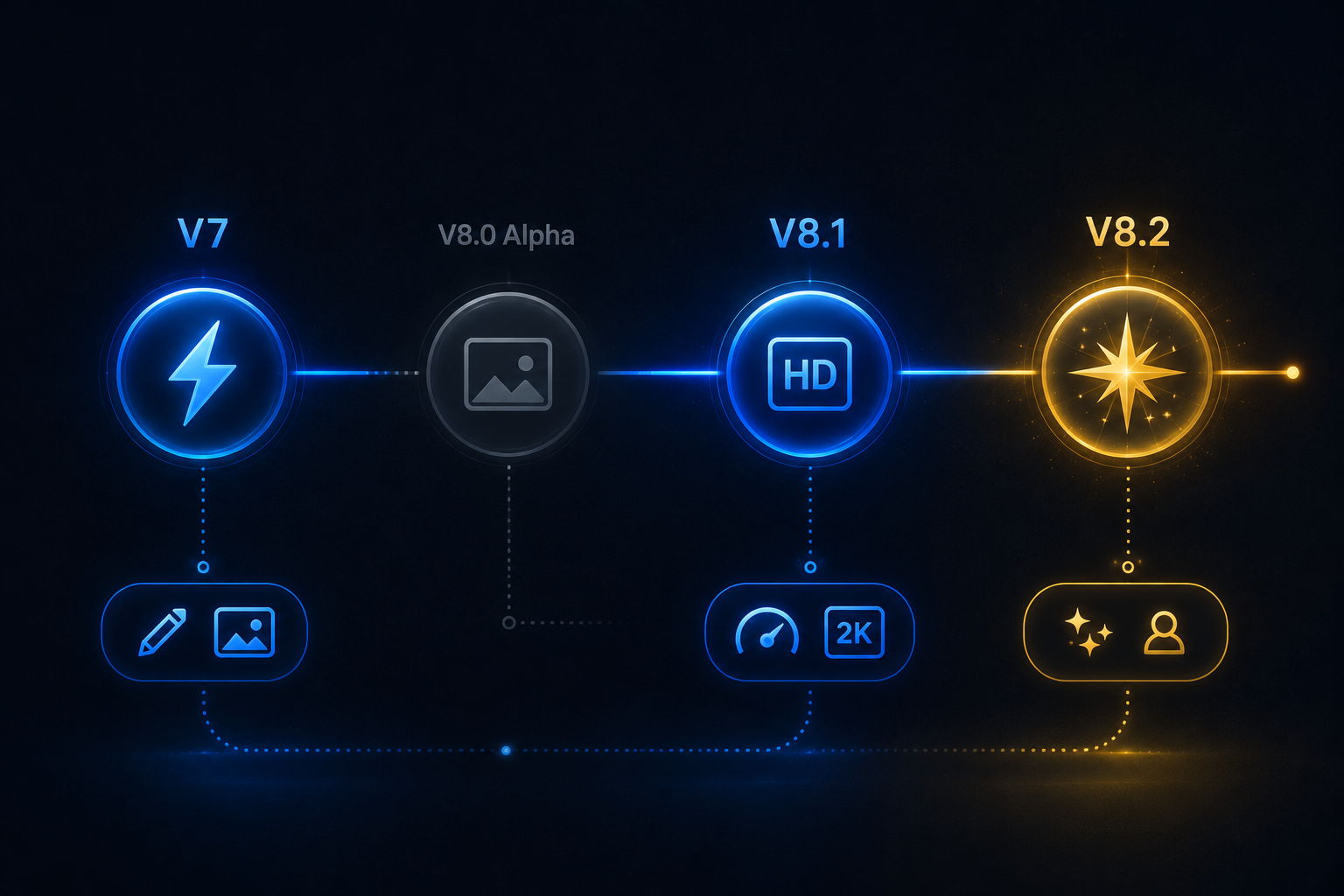
To understand what V8.2 actually represents, the version progression from V7 through V8.2 needs to be read as a coherent development story rather than a series of isolated releases.
V7 — April 3, 2025 through June 9, 2026: Midjourney's longest-serving recent default. V7 introduced Draft Mode for dramatically faster iteration, Omni Reference for style and character consistency across generations, improved human anatomy (hands and faces specifically), and default Personalization. V7 remained the most stable and fully featured model for production work throughout its time as default and remains fully selectable.
V8.0 Alpha — March 17, 2026 through July 24, 2026: An alpha test that introduced improved prompt comprehension for longer, more detailed prompts, better text rendering when text is placed in quotation marks, and faster generation. Not released to the main Midjourney site — only on the alpha website — and now retired as of July 24, 2026.
V8.1 — April 14, 2026, default June 10 to July 23, 2026: The first broadly released V8 model. Midjourney's fastest model at the time, rendering standard jobs four to five times faster than earlier versions. Added native HD 2K image generation without a separate upscale step, restored Image Prompts with improved image weights, a Prompt Shortener tool, an updated Describe feature, and more stable moodboards and style references. Became the default on June 10, 2026 and remains selectable.
V8.2 — Default from July 24, 2026 (current): Described by Midjourney as an aesthetics and Personalization-focused update. Images are more creative, bold, sophisticated, and edgy compared to V8.1. Personalization reads aesthetic preferences significantly better, especially for profiles with large accumulated point libraries. The pool of images used to build new Personalization profiles is dramatically larger and more varied. Low-quality generation slippage — occasional weak outputs that slipped through in V8.1 — is dramatically reduced. V7 Personalization profiles are compatible with V8.2, and the Global V7 Profile works in both V8.1 and V8.2.
Core Features of Midjourney V8.2
The Aesthetic Shift in V8.2
The most important thing to understand about V8.2 is what Midjourney means by "more creative, bold, sophisticated, and edgy." This is not a claim about technical specifications like resolution or generation speed. It is a claim about the visual character of the default outputs.
In practice, V8.2's aesthetic tends toward stronger compositional choices, more dramatic lighting contrasts, richer color treatment, and a more intentional visual voice in the default output — before any style parameters are applied. Images that in V8.1 produced a solid but somewhat neutral result now tend to produce a more distinctive visual statement from the same prompt.
This is a deliberate aesthetic direction, not a universal improvement. Photographers and marketers who want controlled, neutral outputs for commercial use may find V8.1 or V7's more restrained defaults more predictable for product mockups and catalogue-style images. Creative directors, illustrators, concept artists, and brand designers working in expressive visual territory will find V8.2's default aesthetic more aligned with high-end creative production.
Personalization — The Defining Feature of V8.2
Personalization is the Midjourney feature that separates serious users from casual ones — and V8.2 is the most significant Personalization upgrade in the platform's history.
Here is how Personalization works: Midjourney shows you pairs of images and asks you to select your preferred one. Over many selections, the system builds a model of your aesthetic taste — what lighting you prefer, what compositional styles you gravitate toward, what color treatments and subject matter resonate with your visual sensibility. Once your Personalization Profile has accumulated enough data points, applying it to any generation steers the output toward your specific aesthetic rather than Midjourney's universal default.
V8.2 makes two critical improvements to this system. First, the model now reads accumulated aesthetic data significantly more accurately, particularly for profiles with large numbers of recorded preferences. Users who have built extensive Personalization profiles over months of use will see dramatically more consistent application of their learned aesthetic in V8.2 outputs compared to previous versions. Second, the pool of images used to build new Personalization profiles is dramatically larger and more varied — meaning new users building profiles from scratch can develop a more precise and distinctive preference model faster.
The practical implications: for creative professionals who have invested in building a Personalization Profile over time, V8.2 makes that investment pay off more consistently. Outputs feel more coherently "yours" — not just the prompt's interpretation, but the aesthetic judgment layered on top of it.
Draft Mode — 10x Faster Iteration
Draft Mode was introduced in V7 and carries forward through V8.1 and V8.2. It sacrifices final resolution quality in exchange for dramatically faster generation — approximately ten times faster than standard generation at normal quality settings.
The practical use case is concept iteration. When you are exploring a visual direction — testing whether a compositional approach works, evaluating color palette options, checking whether a concept reads as intended at a rough quality level — Draft Mode allows you to run ten iterations in the time standard mode produces one. Once you find the direction that works, you regenerate in standard or HD mode with confidence that the concept is validated.
Draft Mode is the feature that most dramatically changed professional AI image workflows in 2026 — not because it produces better individual images, but because it changes the economics of the exploration phase of any creative project.
Omni Reference — Style and Character Consistency Across Generations
Omni Reference is the feature that addresses one of AI image generation's most persistent professional limitations: the inability to maintain consistent visual style or subject identity across multiple generated images.
Omni Reference allows you to provide a reference image — either an image you have previously generated in Midjourney or an external image you upload — and use it as a style or subject consistency anchor for new generations. Applied to a character design, Omni Reference maintains that character's visual identity across different scenes, poses, and lighting conditions. Applied to a visual style — a specific photography aesthetic, an illustration treatment, a color palette — it applies that style consistently across new content generated around different subjects.
This feature changed the professional viability of Midjourney for projects requiring visual consistency. Before Omni Reference, each new generation started fresh, making it effectively impossible to build a coherent multi-image visual system using AI. With Omni Reference, creative directors can establish a visual identity in one reference image and apply it systematically across an entire campaign or project.
HD 2K Native Generation
V8.1 introduced native 2K (2048 x 2048 pixel) image output without requiring a separate upscale step. V8.2 inherits and maintains this capability.
The significance: professional creative workflows — editorial illustration, advertising visual development, brand design — regularly require output at resolutions suitable for print, large-format display, and high-resolution digital production. The previous requirement to upscale Midjourney outputs before using them professionally added a workflow step and sometimes introduced quality inconsistencies in the upscaled result. Native 2K generation removes that friction and makes Midjourney outputs suitable for professional production use directly.
The HD mode can be activated in the web interface and produces output at native 2K resolution with all the V8.2 aesthetic and Personalization improvements applied at full resolution.
Video Generation — Up to 21 Seconds
Midjourney launched its V1 Video Model in June 2025, allowing users to animate still images into video clips. The feature allows creation of up to four 5-second video clips per prompt, which can be extended up to 21 seconds total duration.
The video generation capability is built on the same aesthetic foundation as Midjourney's image output — which means the motion quality and visual character of Midjourney videos reflects the same refined quality that distinguishes its static outputs from competitors. The feature is available on Standard, Pro, and Mega plans.
For social media content creators, concept animators, and marketing teams needing short animated visual assets, Midjourney's video generation adds a significant capability without requiring a separate video generation subscription.
The Web Editor — Beyond Discord
The web interface at midjourney.com has been progressively expanded and now represents the primary interface for over 30% of active users. The Omni Reference editor, personalization controls, style and character reference management, image prompt controls, and HD generation settings are all managed through the web interface.
Discord remains functional and widely used — but the web editor provides a more structured, less chaotic interface for users who need organized access to reference images, generation history, and advanced parameter controls without navigating Discord's community-facing environment.
For new users especially, starting with the web editor rather than Discord is recommended. The interface is more approachable, the controls are more discoverable, and the image management capabilities are significantly better suited to professional workflow organization.
Prompt Shortener and Describe Tool
The Prompt Shortener — introduced in V8.1 and carried through V8.2 — analyzes a long, complex prompt and identifies which descriptors are actively influencing the output versus which have become redundant or counterproductive. Many experienced Midjourney users accumulate sprawling prompts over iterative sessions, and the Prompt Shortener helps identify the essential elements that are doing the actual work.
The Describe tool, updated in V8.1, analyzes a reference image and generates a Midjourney-optimized prompt that would produce a similar result. For users who have a visual reference they want to match — a photography style, an illustration aesthetic, a specific compositional approach — Describe provides a starting point in Midjourney's prompt vocabulary rather than requiring manual translation.
Real-World Use Cases
Creative Directors and Brand Designers
For creative directors developing visual identities, campaign concepts, and brand asset libraries, Midjourney V8.2's combination of Omni Reference and Personalization represents the closest thing to a consistent AI creative collaborator currently available.
The workflow: establish the visual aesthetic in an early reference generation. Apply Personalization Profile to steer all subsequent outputs toward the same visual sensibility. Use Omni Reference to maintain character or style consistency across a multi-image series. Use Draft Mode to rapidly iterate on compositional variations before committing to high-resolution generation. The result is a visual production workflow that compresses the concept development phase dramatically while maintaining the aesthetic coherence that brand work requires.
Marketing Teams and Content Creators
Marketing teams generating visual assets for social media, advertising, and editorial use have found Midjourney's quality ceiling — particularly for photography-style and cinematic outputs — consistently above what competitor tools produce at the same prompt effort level. V8.2's bolder aesthetic makes marketing visuals feel more intentional and polished at the default output level, reducing the amount of post-processing and selection work required to find usable assets.
Video generation capability adds short animated content to the marketing asset pipeline without requiring a separate tool subscription. A campaign that needs both static visuals and short animated versions can produce both within Midjourney across Standard and higher plans.
Concept Artists and Illustrators
For concept artists exploring visual directions before committing to fully developed illustrations, Draft Mode's iteration speed combined with Omni Reference's style consistency makes Midjourney V8.2 one of the most efficient ideation tools available. Generate fifty compositional variations in the time it previously took to generate five, identify the strongest directions, then develop them to full resolution.
The V8.2 aesthetic — more creative, bold, and sophisticated in its default outputs — is particularly well-aligned with concept art and illustration contexts where the visual distinctiveness of the output is as important as technical precision.
E-Commerce and Product Visualization
For e-commerce businesses generating product imagery, lifestyle photography, and visual content at scale, Midjourney's photorealistic output quality on Standard and higher plans provides a cost-effective alternative to traditional photography for certain asset categories.
Product mockups, packaging visualization, lifestyle scene generation, and category imagery can all be produced at quality levels suitable for e-commerce use without photography, location, or model fees. The limitation is specificity — Midjourney generates convincing representations of product types and categories but cannot accurately reproduce a specific actual product design. For brands with proprietary product aesthetics, generated imagery supplements rather than replaces product photography.
Social Media Content and Faceless YouTube Channels
For social media creators and faceless YouTube channel operators — one of the fastest-growing creator categories in 2026 — Midjourney provides high-quality thumbnail imagery, channel art, video B-roll concepts, and social visual assets without requiring photography skills, equipment, or stock licensing fees.
Thumbnail images for YouTube that combine text overlay with striking visual backgrounds are among the most consistently requested Midjourney use cases in creator communities. V8.2's bolder aesthetic makes thumbnails with dramatic lighting and strong compositional anchors more achievable from a single prompt with less iteration than previous versions required.
How Midjourney Compares to Every Major Competitor
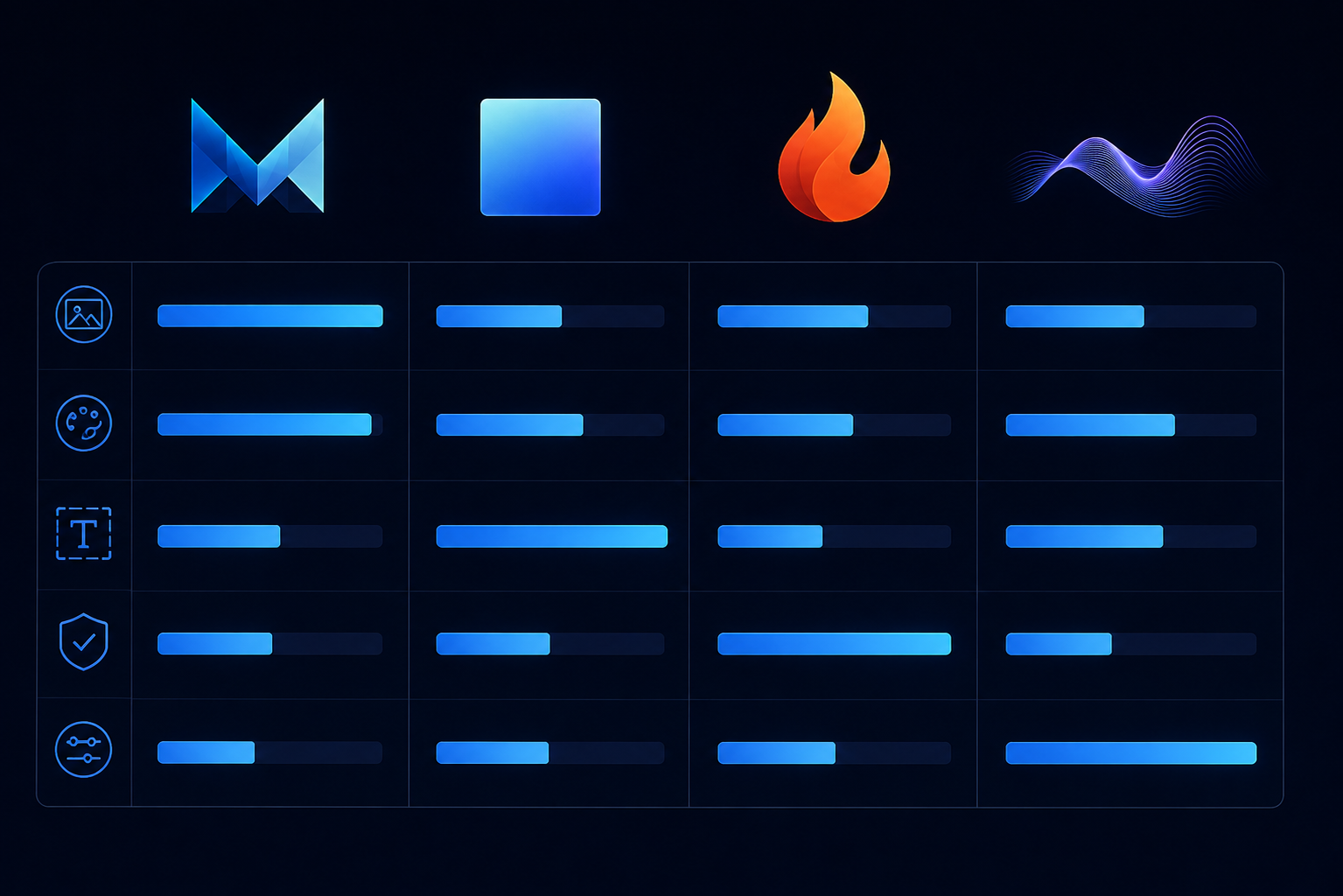
Midjourney vs DALL-E 3 (ChatGPT)
DALL-E 3, integrated into ChatGPT, has one specific advantage: it is exceptionally accurate at text rendering within images. When a prompt requires a specific phrase, label, or text element accurately placed within the generated image, DALL-E 3 consistently outperforms Midjourney.
Midjourney's advantages are broader and more consistent for visual quality: richer texture rendering, stronger atmospheric lighting, more coherent compositional choices, and better overall aesthetic quality for non-text-dependent imagery. Head-to-head quality comparisons in 2026 consistently show Midjourney producing more refined, professional-quality outputs for photorealistic and artistic imagery. DALL-E 3 is the better choice when text accuracy in the image matters. Midjourney is the better choice for virtually everything else.
Midjourney vs Stable Diffusion / FLUX
Stable Diffusion and FLUX (Black Forest Labs) are open-source models that can be run locally or through cloud services. Their primary advantages are cost (free to run locally) and customizability — the ability to fine-tune on specific datasets, apply community models, and modify generation behavior at a technical level that closed-source platforms do not expose.
Midjourney's advantages: significantly better default output quality without technical configuration, a managed service that handles infrastructure, model updates, and quality improvements automatically, and the Personalization system that learns your aesthetic preferences rather than requiring technical fine-tuning to achieve consistent style.
For technically sophisticated users who need maximum control and are comfortable managing model infrastructure, FLUX offers genuine capabilities Midjourney does not expose. For professional users who want the best default output quality with the least technical overhead, Midjourney consistently wins.
Midjourney vs Adobe Firefly
Adobe Firefly's key differentiator is copyright safety at the enterprise level. Trained exclusively on Adobe Stock images with appropriate licensing, Firefly is the defensible choice for organizations where IP risk on generated imagery is a compliance concern. Adobe's integration of Firefly into Creative Suite also makes it the most workflow-integrated AI image tool for teams already working in Photoshop and Illustrator.
Midjourney's advantage is raw visual quality and creative expressiveness. Firefly produces safe, professional results consistently. Midjourney produces more aesthetically striking results at its best. For organizations where copyright safety matters above all, Firefly. For creative quality and aesthetic distinctiveness, Midjourney.
Midjourney vs Ideogram and Recraft V4
Ideogram built its differentiation around text rendering — the weakness that Midjourney has historically struggled with. In 2026, Ideogram remains the strongest competitor specifically for typographic and text-in-image use cases. Recraft V4, as noted in comprehensive tool comparisons, is the only AI image model generating real SVG vectors exportable to Illustrator and print CMYK — a specific capability that Midjourney cannot match for production graphic design workflows.
According to Adobe's research on creative professional AI tool adoption, the creative professionals reporting the highest ROI from AI image tools in 2026 are those who match specific tools to specific task types rather than relying on a single tool for all visual production needs — exactly the framework that the Midjourney-versus-competitors comparison above suggests.
Midjourney V8.2 Pricing — The Complete 2026 Breakdown
Midjourney operates a subscription-only model with no free tier. There is no free trial. This is a deliberate decision — the company does not want to commoditize its output or build usage metrics on users who will never convert to paying subscribers.
The four tiers and what each actually includes:
Basic Plan — $10/month ($8/month billed annually) 200 GPU minutes per month (approximately 200 standard image generations), access to the Midjourney member gallery, three simultaneous generation jobs, and commercial usage rights included. The Basic plan is the right starting point for casual creators, hobbyists, and users validating whether Midjourney fits their workflow before committing to a higher tier. 200 GPU minutes per month runs out quickly under professional usage — expect to exhaust Basic allocation within one to two active working days.
Standard Plan — $30/month ($24/month billed annually) 15 GPU hours per month (approximately 900 standard image generations), unlimited Relax mode generations, access to all current models including V8.2, video generation capability, commercial usage rights, and three simultaneous generation jobs. Standard is the appropriate tier for individual professionals who use Midjourney regularly but not as their primary daily production tool. Relax mode is the critical add-on here — it allows generation at lower priority queue position at no additional GPU hour cost, effectively providing unlimited standard-quality generation at off-peak hours.
Pro Plan — $60/month ($48/month billed annually) 30 GPU hours per month (approximately 1,800 standard image generations), unlimited Relax mode, Stealth Mode (keeps generated images private and out of the public gallery — essential for client work and unreleased brand concepts), 12 simultaneous generation jobs for production workflow speed, all current models, video generation, and commercial usage rights. Pro is the professional standard for designers, art directors, and content creators who use Midjourney as a primary tool in their production workflow.
Mega Plan — $120/month ($96/month billed annually) 60 GPU hours per month (approximately 3,600 standard image generations), all Pro features, and 12 simultaneous generation jobs. Mega is designed for high-volume production environments — agencies, studios, and individual creators with intensive daily generation requirements.
The honest pricing reality: The annual billing discount of 20% across all tiers is the most impactful pricing decision for any user who has confirmed Midjourney fits their workflow. At the Pro tier, the annual billing saves $144 per year compared to monthly billing — meaningful over a full year of professional use.
The absence of a free tier is the most common objection from new users evaluating Midjourney. The $10/month Basic plan is the minimum evaluation commitment. Given that most comparable competitor tools offer free tiers with meaningful access, this is a genuine barrier — but the quality differential between Midjourney's output and free-tier alternatives is large enough that most professional users who trial it at the Basic level convert to Standard or above.
Pros and Cons
Pros
V8.2 is the boldest, most aesthetically distinctive Midjourney default output to date — images feel more creative, sophisticated, and edgy from the same prompts
Personalization system is dramatically improved in V8.2 — the most significant upgrade to the system since its introduction
Native HD 2K generation (inherited from V8.1) eliminates the upscale workflow step for professional-resolution output
Draft Mode (10x faster iteration) fundamentally changes the economics of the exploration phase of any creative project
Omni Reference solves the style and character consistency problem that previously limited Midjourney's use in multi-image professional projects
V7 Personalization profiles are compatible with V8.2 — existing investment in profile building transfers
Video generation up to 21 seconds available on Standard plans and above
Meta partnership (August 2025) validates the platform's technology at the most significant consumer social media scale
26.8% global AI image generation market share — the market leadership position
$500 million ARR achieved without venture capital or advertising spend — the strongest quality validation signal available
Web editor at midjourney.com provides structured professional interface beyond Discord
Stealth Mode on Pro plans keeps client work and unreleased concepts private
Cons
No free trial — $10/month Basic plan is the minimum evaluation commitment, which creates a barrier that competitors with free tiers do not have
Text rendering within images remains a relative weakness compared to DALL-E 3 and Ideogram for prompts where accurate typographic elements in the image matter
No SVG or vector output — Recraft V4 is the appropriate tool for production graphic design requiring vector format
Basic plan's 200 GPU minutes per month is genuinely limiting for professional evaluation — serious users will need Standard or higher to experience Midjourney at production workflow cadence
V8.2's bolder aesthetic is a deliberate creative choice that will not suit all use cases — commercial product photography and catalogue-style imagery may perform better with V7 or V8.1's more restrained defaults
Copyright and IP clarity for commercial use of generated imagery remains an evolving legal area — organizations with strict IP risk policies should review current terms and legal guidance before deploying generated imagery commercially
Self-funded independent structure means no investor-mandated product transparency, which creates less public roadmap visibility than VC-backed competitors
Who Should Use Midjourney V8.2?
Midjourney is the strongest fit for:
Creative directors and brand designers who need visual concept generation at professional quality levels with style consistency capabilities through Omni Reference and Personalization
Marketing teams producing visual content at scale for social media, advertising, and editorial use where visual quality meaningfully affects engagement and conversion performance
Concept artists and illustrators using Draft Mode for rapid ideation and V8.2's bold aesthetic for expressive concept generation
Social media creators and faceless YouTube channel operators generating thumbnail imagery, channel art, and visual B-roll assets at scale without photography infrastructure
Agency creative teams on Pro or Mega plans with Stealth Mode keeping client work private
E-commerce businesses generating product visualization, lifestyle imagery, and category content where generated imagery at professional quality replaces some traditional photography costs
Who Should Consider Alternatives
Users who need accurate text rendering within images — DALL-E 3 inside ChatGPT Plus or Ideogram are stronger choices
Organizations requiring IP-safe generated imagery with licensing clarity at the enterprise level — Adobe Firefly is purpose-built for this requirement
Developers and technical users needing maximum model customization, fine-tuning, and open-source flexibility — FLUX is the appropriate framework
Production graphic design requiring vector output — Recraft V4 is the only AI image tool with real SVG and CMYK-compatible vector output
Absolute budget constraint users who need AI image generation without subscription cost — Stable Diffusion run locally is the free alternative with meaningful trade-offs in default quality and ease of use
Prompt Engineering for V8.2 — What Actually Works
Understanding how to write effective prompts for V8.2 specifically — given its aesthetic direction and new Personalization improvements — is the highest-leverage skill for getting more value from the subscription immediately.
Lead with the subject, then the aesthetic. V8.2 responds well to prompts that establish the core subject first and the visual treatment second. "Portrait of a woman in her 40s, soft morning window light, film grain, muted earth tones" performs better than "muted earth tones film grain morning light portrait of woman." The model's improved prompt comprehension in V8 reads natural language sequences better than keyword lists.
Use quotation marks for any text you want rendered in the image. V8's improved text rendering works best when the specific text to appear in the image is wrapped in quotation marks within the prompt. "A poster with the headline 'The Future Runs Quiet'" produces better text accuracy than the same prompt without the quotation marks.
Let V8.2's aesthetic work before overriding it. Given that V8.2's defining change is a bolder, more distinctive default aesthetic, running your first prompts without heavy style parameters allows you to evaluate what V8.2's defaults produce for your specific use cases. Adding style overrides before seeing the default removes the chance to discover whether V8.2's built-in aesthetic serves your work better than you expected.
Apply your Personalization Profile from the start. If you have an established V7 Personalization Profile, V8.2 is compatible with it. Apply it immediately on V8.2 to steer outputs toward your documented aesthetic preferences. The profile data accumulated in V7 does not need to be rebuilt.
Use Draft Mode for direction testing, standard for finals. A workflow that runs five to ten Draft Mode variations to identify the right compositional direction before a single standard-mode generation is the most GPU-hour-efficient approach for complex prompts where the right direction is not immediately obvious.
Use the Prompt Shortener after three or more iterations. If a prompt has grown through multiple iterative additions, run it through the Prompt Shortener after three to five generation rounds to identify which descriptors have become redundant. Shorter prompts on V8.2 often produce more coherent results than the sprawling prompts that accumulate naturally through iterative refinement.
Getting the Most Out of Your Midjourney Subscription
The users who extract the most value from Midjourney subscriptions share specific workflow habits worth adopting regardless of your current usage level.
Build your Personalization Profile actively. Even 20 to 30 minutes of image preference ranking per week compounds over months into a profile that meaningfully differentiates your outputs from generic Midjourney generations. V8.2 makes this investment pay off more than any previous version.
Use Relax mode for volume, Fast mode for deadline work. Standard plan and above includes unlimited Relax mode. Use Relax mode for all exploratory generation and non-time-critical production. Save Fast mode GPU hours for final versions and client-deadline work where wait time matters.
Organize your generations with collections immediately. Midjourney's web interface supports collections — folders for organizing generated images by project or theme. Setting up collection organization from the start of any project prevents the retrieval chaos that accumulates when all generations are left in the unsorted feed.
Reference the Describe tool when matching external aesthetics. When a client brings a visual reference from outside Midjourney — a photography reference, a competitor campaign, a mood board — run it through the Describe tool first. The Midjourney-native prompt that Describe generates provides a better starting point than attempting manual prompt translation from the original image.
The Honest Limitations of Midjourney V8.2
The boldest, most honest assessment of V8.2's limitations serves anyone evaluating whether to subscribe better than a purely promotional summary.
V8.2's aesthetic direction is a creative choice, not a universal improvement. The "more creative, bold, sophisticated, and edgy" description is accurate — and for a meaningful subset of professional use cases, that is the wrong direction. Product photography and commercial catalogue imagery often benefit from restraint, neutrality, and precise subject rendering rather than atmospheric boldness. For these use cases, V7 or V8.1's more measured defaults may consistently outperform V8.2. Midjourney has wisely kept all previous versions selectable — V8.2 being the default does not mean it is the mandatory model.
The copyright landscape for commercially used AI-generated imagery remains in legal evolution. Midjourney's terms grant commercial usage rights on paid plans, but the underlying legal question of what IP protections apply to AI-generated images — and how they interact with potential infringement claims related to training data — has not been fully resolved in most jurisdictions. Organizations with significant IP risk sensitivity should work with legal counsel before deploying Midjourney-generated imagery in commercially sensitive contexts.
The no-free-trial policy is a real friction point. At the Basic tier, 200 GPU minutes per month is limiting enough that evaluating Midjourney at production workflow cadence requires at least a Standard month. This is a deliberate positioning decision by a company that has never needed to optimize for free-to-paid conversion at volume — but it is a genuine cost commitment before the value is confirmed.
Final Verdict: Is Midjourney V8.2 Worth It in 2026?
For creative professionals who care about visual quality above everything else — yes, without meaningful qualification.
V8.2 is the strongest version Midjourney has released. The aesthetic direction is more distinctive and expressive than any previous default. The Personalization improvements make the single most differentiating feature of Midjourney's platform work better than it ever has. The native 2K resolution, Draft Mode, and Omni Reference together constitute a professional image production workflow that no competitor currently matches on combined quality, consistency, and iteration speed.
The 26.8% market share, $500 million in annual revenue, and Meta partnership are not metrics from a platform that got lucky on timing. They are the metrics of a platform that has consistently produced the best visual output in its category for four years and has never once needed to compromise its product direction for investor return pressure.
The evaluation decision is straightforward: try the Basic plan against real work in your actual use case. If the quality of V8.2's outputs is visibly superior to the alternative you are currently using — which for most creative professionals it will be — upgrade to Standard or Pro and make it a permanent part of your visual production stack.
For social media creators, designers, marketers, and visual content producers who are not yet using Midjourney, V8.2 is the strongest argument the platform has ever made for why that should change.
Start Creating With Midjourney V8.2
V8.2 is live right now as the default model for all subscribers. The Basic plan starts at $10 per month. No free trial — but the output quality makes the minimum commitment one of the most defensible $10 investments in a creative professional's tool stack.
Start creating with Midjourney → — Basic plan from $10/month. V8.2 is the default. Web interface fully available at midjourney.com.
Frequently Asked Questions
What is Midjourney V8.2? Midjourney V8.2 is the current default AI image generation model on the Midjourney platform, released as the default on July 24, 2026. It focuses on aesthetics, image quality, and Personalization — producing images described as more creative, bold, sophisticated, and edgy than previous versions, with dramatically improved Personalization that reads user aesthetic preferences more accurately.
What changed from V8.1 to V8.2? V8.2 focuses on three improvements: bolder, more creative default aesthetics with dramatically reduced low-quality generation slippage; significantly better Personalization that reads aesthetic preferences more accurately for profiles with large accumulated point libraries; and a larger, more varied pool of images for building new Personalization profiles. V8.1 remains fully selectable for users whose workflows benefit from its more restrained defaults.
Is Midjourney V7 still available? Yes. V7 remains fully selectable and is recommended for users who prefer its more measured aesthetic defaults or who need full feature coverage for specific production workflows. V7 Personalization profiles are compatible with V8.2.
How much does Midjourney cost in 2026? Midjourney has four subscription tiers: Basic ($10/month or $8/month annually), Standard ($30/month or $24/month annually), Pro ($60/month or $48/month annually), and Mega ($120/month or $96/month annually). Annual billing saves 20% across all tiers. There is no free tier or free trial.
Does Midjourney have a free trial? No. Midjourney removed its free trial in 2023 and has been subscription-only since. The lowest entry point is the $10/month Basic plan.
Can I use Midjourney images commercially? Commercial usage rights are included in all paid Midjourney subscription tiers. However, the broader legal landscape around commercial use of AI-generated imagery is still evolving — organizations with significant IP risk exposure should review current legal guidance specific to their jurisdiction before deploying generated imagery in commercially sensitive contexts.
How does Midjourney compare to DALL-E 3? Midjourney V8.2 consistently outperforms DALL-E 3 on photorealistic quality, compositional sophistication, atmospheric lighting, and overall aesthetic distinctiveness for non-text imagery. DALL-E 3 outperforms Midjourney on accurate text rendering within images. The right choice depends on whether the use case requires text accuracy in the image or superior visual quality for imagery without text elements.
What is Draft Mode in Midjourney? Draft Mode is a generation speed setting that sacrifices final output resolution in exchange for approximately ten times faster generation. It is most useful during the concept exploration and compositional iteration phase — allowing rapid testing of visual directions before committing to standard or HD quality generation for final outputs.
Founder & Editor, Axionova
Ashir writes independent, hands-on reviews of AI tools and shares strategies for creators, marketers, and entrepreneurs. Every review is grounded in real usage — no paid placements, no fluff. Read our editorial standards.
AI Insights Weekly
One curated email a week: sharp AI insights, tool reviews, and strategies.
Have thoughts on this?
Contact us or share this article on social media — we'd love to hear what resonated with you.