NotebookLM vs Perplexity: Which One Should Actually Do Your Research?
A genuine, use-case-driven comparison of NotebookLM and Perplexity — document-grounded synthesis versus live web discovery, where each tool wins outright, where each one falls short, and the two-stage research workflow that serious researchers, analysts, and content teams have independently converged on for combining both.

Here's a question worth asking before you open either tool: do you already have the documents you need, or are you still trying to find them?
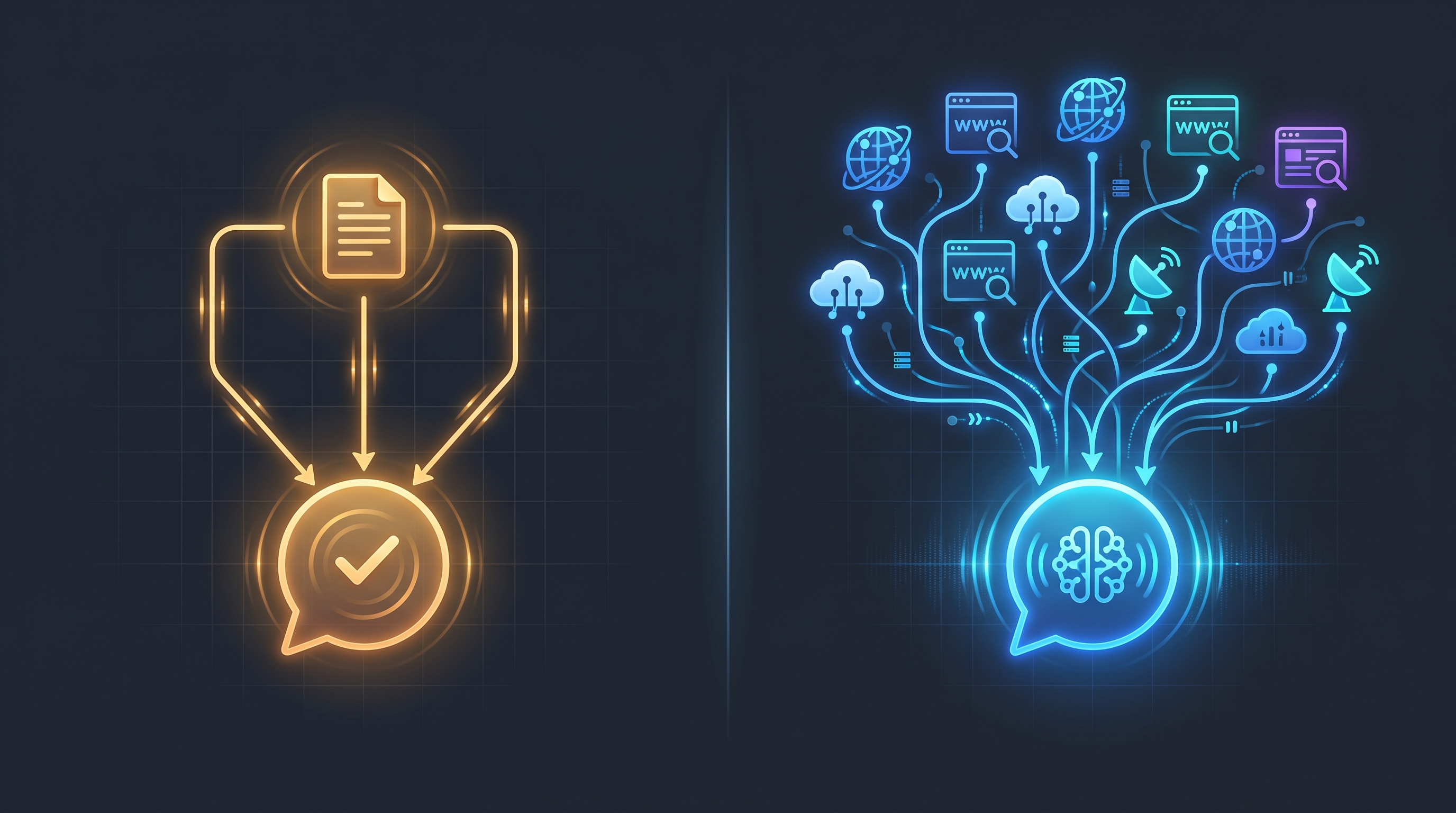
That single question resolves this comparison faster than any feature table could, and it's why nearly every independent 2026 test of these two tools arrives at the identical conclusion despite testing them completely differently. NotebookLM and Perplexity aren't competing for the same job. One is a closed library that only knows what you've put inside it. The other is an open search engine that reads the live internet and cites what it finds. Asking "which one is better for research" without specifying which kind of research is like asking whether a filing cabinet or a search engine is more useful — the honest answer is that you need both, at different points in the same project.
That's not a hedge to avoid picking a winner. It's the actual, repeatedly confirmed structure of how these two tools work, and understanding it precisely is what separates a useful research workflow from a frustrating one where you keep reaching for the wrong tool for the specific question in front of you.
The One Distinction That Explains Everything Else
NotebookLM — now also referred to as Gemini Notebook following Google's July 2026 rebrand — answers exclusively from the documents you upload. PDFs, Google Docs, Slides, pasted text, YouTube video transcripts, audio files. Feed it a source, and it will read every word of that source and answer questions grounded entirely in what you gave it, with citations pointing back to the exact passage in your own material. It has no default access to the live internet. If you didn't upload it, NotebookLM doesn't know it exists — full stop, by design.
Perplexity does the opposite. It searches the open web in real time and answers with citations to the public pages it found, functioning as a research engine built for current information, source discovery, and fast, cited synthesis across whatever is currently published online. It can accept file uploads too, but that capability supplements its live web search rather than replacing it — Perplexity is fundamentally an open-search tool that can also read your files, where NotebookLM is fundamentally a closed-library tool that stays anchored to only what you've given it.
One reviewer put the distinction as precisely as anyone has: NotebookLM is a closed library you control; Perplexity is an open search engine that answers in prose. That's the entire comparison in one sentence, and everything below is just working out the practical consequences of that architectural difference.
Round 1: Document Analysis and Synthesis — NotebookLM Wins, Clearly
If your job is understanding a fixed, known set of material deeply — a stack of research papers, a client's internal documentation, your own lecture notes, a contract you need to interrogate clause by clause — NotebookLM is built specifically and exclusively for that job, and independent testing consistently rates it best-in-class at it.
The citation model is the specific reason this matters practically rather than just theoretically. Every answer NotebookLM gives links directly back to the exact passage in your uploaded source that supports it — not a general reference to "the document," but the specific sentence. For literature reviews, case study analysis, and any domain-specific research where you need to trace a claim back to its exact origin, that precision is difficult to replicate with a tool that's drawing from open web pages instead of a document you control.
The Audio Overview feature — NotebookLM's podcast-style summary generator — has become a genuinely distinctive capability nothing in Perplexity's toolkit attempts to replicate: converting a dense source packet into a conversational, two-host audio discussion that's often faster to absorb than reading the raw material, particularly for synthesis-heavy research where you're trying to build an overall mental model of a topic rather than extract one specific fact.
Perplexity's file-analysis capability, by contrast, is consistently described across independent reviews as basic compared to a dedicated document tool — functional for supplementing a web search with a reference file, but not built for the kind of deep, multi-document cross-referencing that NotebookLM handles as its core job.
Round 1 winner: NotebookLM, decisively, for any research task where your source material is already known, fixed, and needs deep synthesis rather than discovery.
Round 2: Live Web Research and Discovery — Perplexity Wins, Just as Clearly
Flip the question around — you don't have a fixed source set, you have a question, and you need to find out what's currently true, recent, or publicly available — and the advantage reverses completely.
Perplexity's real-time web search with inline citations is what the platform is fundamentally built around, and every independent 2026 comparison treats this as the settled, uncontested half of this matchup: for current events, market research, competitor analysis, and any question that starts with "what's the latest on..." rather than "what does this document say," Perplexity is the stronger tool by a wide margin. Its Deep Research mode conducts dozens of parallel web searches and cross-references findings automatically — genuinely useful for discovery-phase work where you don't yet know which sources matter, only that you need to find them.
NotebookLM's answer to this gap has been Deep Research integration for compiling source candidates from the web before pulling them into a notebook — real functionality, but consistently described across sources as more limited than Perplexity's dedicated, real-time search infrastructure. NotebookLM was not built as a web search engine that happens to also do document analysis; it added web-sourcing capability around an architecture whose core strength remains working with material you've already gathered.
Perplexity's Pro tier adds model choice (GPT-4o, Claude, Gemini) for the underlying reasoning layer and file/image upload support layered on top of its web search — meaningful flexibility for researchers who want to combine live discovery with occasional document reference, without needing that document work to be the deep, multi-source synthesis NotebookLM specializes in.
Round 2 winner: Perplexity, decisively, for any research task that starts as an open question rather than a known source packet.
Round 3: The Combined Workflow — Where Most Serious Researchers Actually Land
This is the round most single-tool comparisons skip entirely, and it's the one that actually matters most if you do research regularly rather than occasionally.
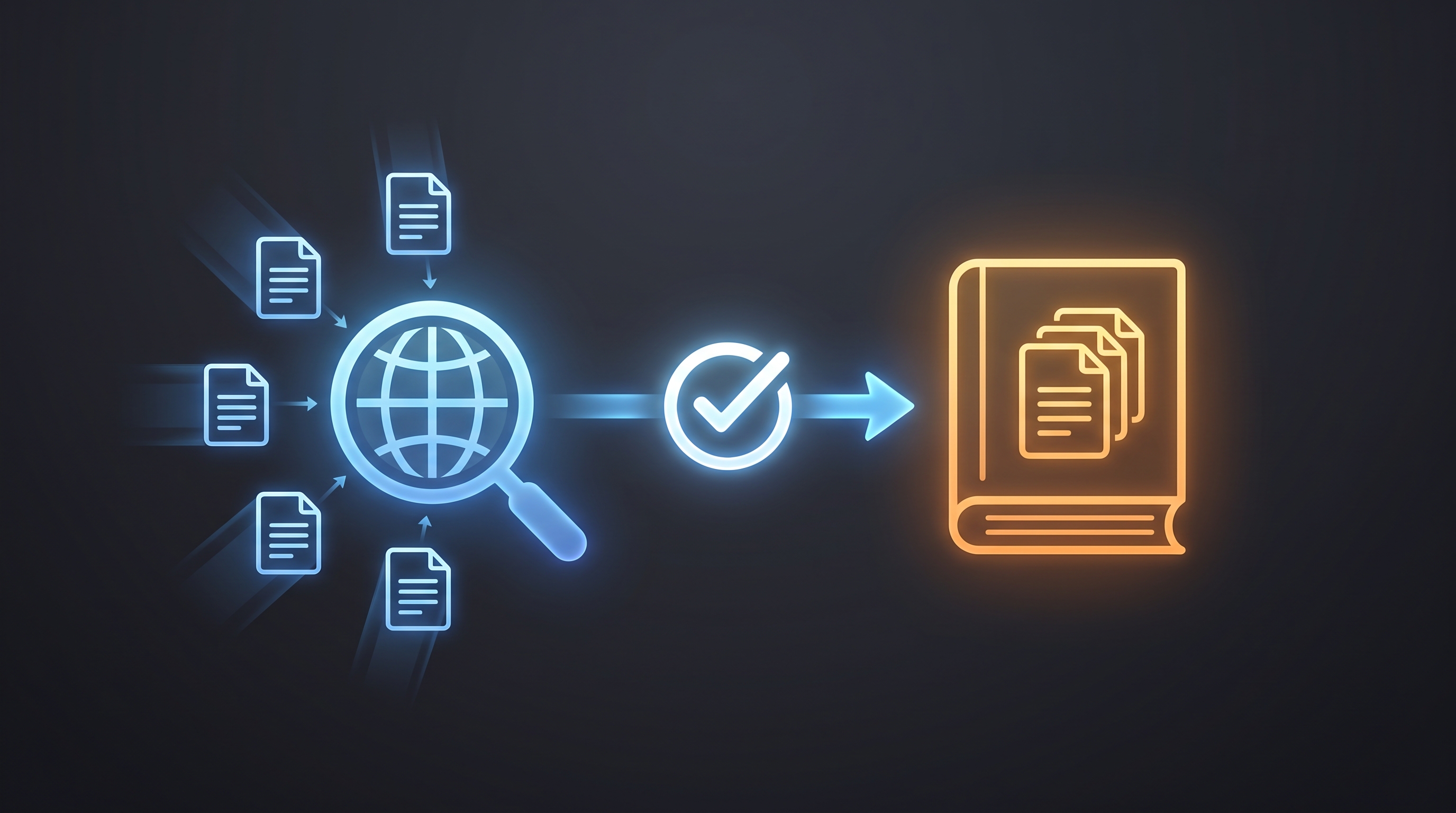
The workflow that appears, almost word-for-word, across a striking number of independent 2026 sources is the same one: start in Perplexity to discover and verify current sources on your topic, then move those findings into NotebookLM for deep, cross-source synthesis grounded in exactly the material you've now confirmed is relevant. One detailed breakdown of this exact pipeline describes it directly — Perplexity discovers what's out there, NotebookLM goes deep on what matters, and together they solve the "what am I missing?" anxiety that using either tool alone leaves unresolved: Perplexity's broad search ensures you haven't missed a relevant source, and NotebookLM's grounded analysis ensures your final synthesis stays anchored to material you've actually verified rather than drifting into unsupported claims.
A market analyst evaluating a new sector might use Perplexity first to scan current news, identify the handful of analyst reports and competitor filings that actually matter, then pull those specific documents into a NotebookLM notebook to synthesize a structured competitive analysis — using each tool for the exact stage of the process it's built for, rather than forcing one tool to do a job it wasn't designed around.
This isn't a compromise position adopted because neither tool is good enough alone. It's the specific, repeatedly-validated conclusion that researchers who've tested both tools extensively keep arriving at independently: discovery and analysis are different skills, requiring different tools, and trying to do both inside a single platform means accepting a meaningfully worse version of at least one of them.
Round 3 winner: Both, used in sequence — this is not a tiebreaker so much as the actual answer for anyone doing regular, serious research work.
Which One Should You Use, By Who You Are
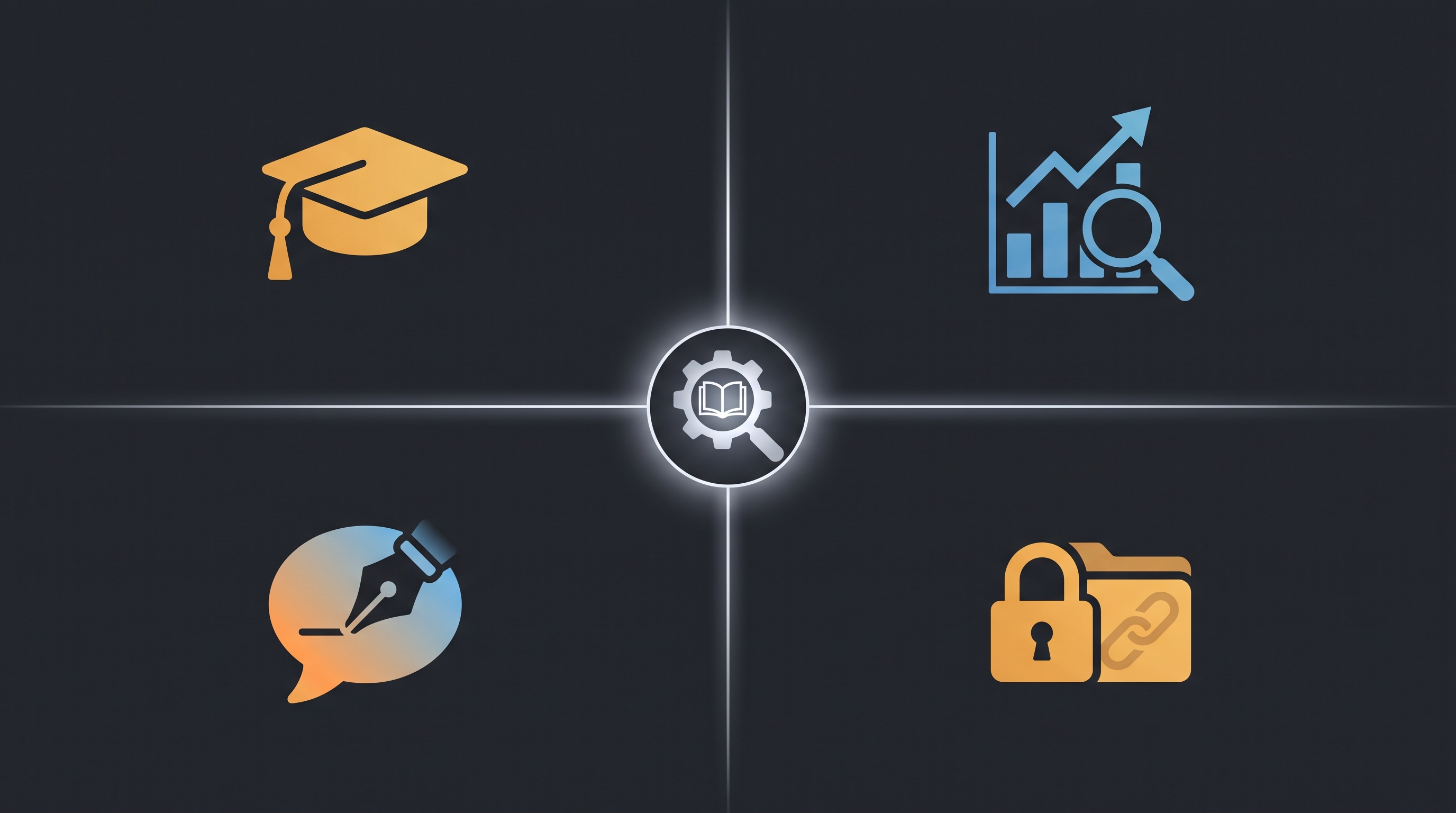
Students should lean NotebookLM for the actual coursework. Once you have your assigned readings, lecture notes, and research papers, NotebookLM's citation-grounded synthesis and Audio Overview feature are purpose-built for exactly the kind of deep, source-anchored study that academic work requires — and its free tier's genuinely usable allowance (50 notebooks, 50 sources each) covers the scope of most individual coursework without a subscription. Use Perplexity separately when you need to find additional sources beyond your assigned reading list or check whether a claim in your notes still holds up against current information.
Analysts and market researchers should lean Perplexity as their entry point. When a research task starts with "what's happening in this space right now" rather than "here's a folder of documents, analyze them," Perplexity's live web search and Deep Research mode are the more natural starting tool. Move to NotebookLM once you've identified the specific reports, filings, or articles worth a closer, structured read.
Content teams and writers benefit most from the combined pipeline. Research the current state of a topic in Perplexity, pull the strongest sources into a NotebookLM notebook, generate a synthesized brief or even an Audio Overview to internalize the material quickly, then write from that grounded synthesis rather than working from scattered browser tabs and half-remembered search results.
Anyone working with confidential or proprietary documents should default to NotebookLM. Internal company files, client materials, unpublished research — anything that shouldn't be exposed to a tool that's also actively searching and potentially referencing the live web is a better fit for NotebookLM's closed-document model specifically because of that architectural boundary, not just its analysis quality.
For a deeper, standalone breakdown of NotebookLM's full feature set — Audio Overview, the new Cinematic Video Overviews, code execution, and its complete 2026 pricing structure under the Gemini Notebook rebrand — our full NotebookLM review covers the platform independently of this comparison.
According to McKinsey's research on knowledge worker productivity (https://www.mckinsey.com/capabilities/people-and-organizational-performance/our-insights/the-future-of-work-after-covid-19), knowledge workers spend a significant share of their working time simply searching for and gathering information before any actual analysis begins — a finding that directly supports why the two-stage discovery-then-synthesis workflow this comparison lands on consistently outperforms trying to force one tool to handle both stages of that process.
What I'd Actually Do
If a research task landed on my desk today and I genuinely didn't know yet what sources existed, I'd open Perplexity first, every time, without exception. Starting from a blank page with an open question is exactly the job it's built for, and trying to make NotebookLM do that job means manually hunting for sources yourself before the tool can do anything useful — the opposite of what you want from a research assistant.
If I already had a folder of PDFs, a set of client documents, or a stack of papers I needed to actually understand deeply rather than just skim, I'd go straight to NotebookLM and skip Perplexity entirely for that specific task — searching the live web adds nothing when your job is understanding material you already possess.
For anything genuinely substantial — a real report, a competitive analysis, a piece of long-form content that needs both current context and deep source grounding — I'd run both, in that specific order: Perplexity to find and verify what's out there, NotebookLM to actually synthesize it once I'd confirmed which sources deserved the close read. That two-step sequence, not a single tool, is consistently what the most experienced researchers using both platforms have converged on independently — which is about as strong a signal as a comparison like this can offer.
Frequently Asked Questions
Is NotebookLM or Perplexity better for research? It depends entirely on the type of research. NotebookLM is better when you already have a known, fixed set of documents you need to deeply analyze and synthesize. Perplexity is better when you're starting from an open question and need to discover current, web-based sources with citations. Most serious researchers use both, in sequence.
Can NotebookLM search the live web? NotebookLM has added limited Deep Research integration for compiling source candidates from the web before pulling them into a notebook, but this is consistently described as more limited than Perplexity's dedicated real-time search infrastructure. NotebookLM's core strength remains synthesis from documents you've explicitly uploaded, not open web discovery.
Can Perplexity analyze my own documents? Yes, Perplexity supports file uploads that supplement its web search results. However, independent reviews consistently describe its document analysis as basic compared to NotebookLM's dedicated, citation-grounded synthesis across multiple uploaded sources — Perplexity's file support is a supplement to web search, not a replacement for a dedicated document analysis tool.
What is the best workflow for combining NotebookLM and Perplexity? The workflow most independent 2026 sources converge on: use Perplexity first to discover and verify current, relevant sources on your topic through live web search, then upload the strongest of those sources into a NotebookLM notebook for deep, grounded, cross-document synthesis. This uses each tool for the specific stage of research it's built for.
Is NotebookLM free? Yes, NotebookLM's free tier includes up to 50 notebooks with up to 50 sources each, along with Audio Overview generation — genuinely usable for most individual research and academic work without a paid subscription. Full Pro-tier capability requires a Google AI subscription starting around $19.99/month.
Is Perplexity free? Perplexity offers a free tier with limited daily Pro Search queries and basic web search access. Its Pro plan ($20/month) unlocks unlimited Pro Search, multiple AI model options, and Deep Research capability for more comprehensive discovery-phase research.
Which tool is better for students? NotebookLM is generally the stronger fit for coursework specifically, since students typically already have assigned readings and lecture material that needs deep, citation-grounded synthesis rather than open web discovery. Perplexity remains useful alongside it for finding supplementary sources or verifying that class material reflects current information.
Founder, Axionova · AI Tools Strategist
Ashir writes independent, hands-on reviews of AI tools and shares strategies for creators, marketers, and entrepreneurs. Every review is grounded in real usage — no paid placements, no fluff. Read our editorial standards.
AI Insights Weekly
One curated email a week: sharp AI insights, tool reviews, and strategies.
Have thoughts on this?
Contact us or share this article on social media — we'd love to hear what resonated with you.