Notion AI Review 2026: Your Entire Workspace Just Got a Brain — And It Knows Everything You Have Ever Written
A comprehensive Notion AI review for 2026 covering Ask Notion workspace-wide Q&A, Custom Agents, meeting notes, AI Autofill, the Notion Developer Platform, full pricing breakdown with the Business plan change, comparisons with Microsoft 365 Copilot and ClickUp AI, and exactly who should and should not upgrade.

Most productivity tools give you a place to store information. Notion AI gives that information the ability to answer back.
You have probably used a chatbot before. You open it, type a question, and it searches the internet or its training data for something relevant to say. The answer is generic. It does not know your company. It does not know your team's Q3 goals, the decisions from your last all-hands, the product spec you wrote three weeks ago, or the client feedback buried in a database you last touched in April.
Notion AI is fundamentally different from that model. It does not search the internet. It searches you — your pages, your databases, your meeting notes, your project boards, your company wiki — and synthesizes answers that are grounded in the actual knowledge your organization has built over months and years.
That is not a minor feature improvement. That is a different category of tool.
Notion surpassed 100 million users in 2024 and has continued accelerating in 2026 with the launch of Notion 3.0 in September 2025, Custom AI Agents in February 2026, and the Notion Developer Platform in May 2026 — which introduced cloud-based Workers, live database sync from Salesforce and Zendesk, and external agent integration with Claude Code, Cursor, and Codex. The platform has evolved from the world's most flexible note-taking app into a full AI-powered operating system for how teams think, build, and run.
This Notion AI review covers everything that matters in July 2026: what the AI layer actually does, how the Custom Agents work, how the pricing changed, how it compares to Microsoft 365 Copilot and other alternatives, and exactly who should — and should not — upgrade.
What Is Notion AI?
Notion AI is an intelligent assistant built directly into the Notion workspace. Unlike standalone AI tools — ChatGPT, Claude, Gemini — that operate without knowledge of your personal or organizational context, Notion AI has full access to your entire workspace: every page, every database, every linked document, every connected app. Its outputs are not generic. They are grounded in the specific information your organization has actually created and stored.
The platform launched its original AI writing assistant in 2023, then significantly expanded in 2024 with workspace-wide Q&A and meeting notes. In September 2025, Notion 3.0 introduced the AI Agent feature — autonomous AI that takes actions across the workspace, not just answers questions within a page. In February 2026, Custom Agents launched, allowing teams to build their own automated AI workflows that run continuously in the background triggered by database changes, schedules, or Slack messages. In May 2026, the Notion Developer Platform extended this into cloud-based serverless code execution and live data sync from enterprise sources.
The result is a platform where the distinction between "using AI to help with work" and "AI running as part of your work infrastructure" has genuinely collapsed.
Why Notion AI Is Trending in July 2026
Notion AI earned its place as one of the hottest trending productivity tools in July 2026 for reasons that go beyond feature releases. The platform sits at the intersection of three converging forces that are reshaping how knowledge work actually operates:
The first is the shift from document storage to knowledge activation. Organizations have spent years building information in Notion — wikis, databases, SOPs, project boards, client records — and most of that knowledge is effectively inaccessible beyond the people who know where to look. Notion AI's Ask Notion feature transforms stored knowledge into a queryable resource that any team member can access through a natural language question, without needing to know Notion's database structure or remember where any specific page lives.
The second is the rise of autonomous AI workflows. Custom Agents — which launched in February 2026 and moved to paid credit-based billing in May 2026 — allow teams to build AI workflows that run without human triggering. An agent that monitors a client feedback database and automatically drafts a response summary when new entries arrive. An agent that watches a project database and sends a Slack notification when tasks exceed their deadlines. These are not AI-assisted tasks. They are AI-operated processes.
The third is enterprise integration depth. The May 2026 Developer Platform launch added live database sync from Salesforce and Zendesk — pulling external CRM and support data directly into Notion databases in real time — and external agent integration with Claude Code, Cursor, Codex, and Decagon. For organizations that have invested in Notion as their operational hub, this connectivity means AI in Notion can now reason about sales data, customer tickets, and code activity alongside internal documentation.
According to McKinsey's research on knowledge worker productivity, knowledge workers spend an average of 1.8 hours per day searching for and gathering information. That is 9 hours per week — 23% of a full-time work schedule spent finding information that already exists somewhere in the organization's tools. Notion AI's workspace-wide search and synthesis capability targets this specific inefficiency with an approach that no standalone AI tool can replicate.
Core Features of Notion AI in 2026
Ask Notion — Workspace-Wide AI Search and Synthesis
Ask Notion is the feature that most consistently converts skeptics into committed users. Instead of searching for a page, remembering who wrote it, or digging through nested databases, you ask a question in natural language and receive a synthesized answer drawn from across your entire workspace.
"What were the key decisions from the Q1 product review?" — Notion AI scans meeting notes, project pages, and linked documents to surface the specific decisions made, with source links to the original pages so you can verify the context.
"Summarize all client feedback related to the enterprise tier from the last two months." — Notion AI queries the relevant database, filters by date and category, and produces a structured summary across all matching entries.
"What is our current policy on contractor invoicing?" — Notion AI finds the relevant SOP page, extracts the current policy, and surfaces it with a link to the source so you can confirm currency.
The practical impact on team operations is significant. Instead of relying on institutional knowledge held by specific people, the organization's knowledge becomes queryable by anyone. New team members onboard faster because they can ask questions about how things work and receive accurate answers grounded in the organization's actual documentation rather than generalized guesses.
AI Writing and Content Generation
Notion AI's original capability remains one of its most consistently used features. The AI writes directly within any Notion page — drafting, editing, summarizing, translating, changing tone, expanding bullet points into prose, and condensing long documents into structured summaries.
The workspace context advantage applies here too. When you ask Notion AI to draft a client proposal for a specific project, it can reference the relevant project database, pull the agreed scope from meeting notes, and incorporate the pricing from a linked database — without you needing to copy and paste any of that context into the prompt manually.
For teams producing high volumes of structured content — status updates, client reports, internal memos, onboarding documents, job descriptions, meeting agendas — Notion AI compresses production time significantly while maintaining the quality standard the workspace context enables.
Meeting Notes and Action Item Extraction
Notion AI's meeting notes feature automatically transcribes, summarizes, and structures meeting recordings uploaded to or recorded within Notion. Beyond transcription, the AI extracts key decisions, action items with assigned owners, follow-up questions, and next steps — converting a raw meeting recording into a structured, actionable document automatically.
The integration with Notion Mail — launched in April 2025 as a Gmail-based email client with Notion AI — means that meeting context from email conversations can flow directly into meeting notes, and action items from meetings can trigger tasks in connected project databases without manual data entry.
For teams where meeting overhead — transcription, note distribution, action item tracking — consumes significant administrative time, the meeting notes automation represents a direct and measurable time recovery.
AI Autofill — Database Intelligence at Scale
AI Autofill is a property column that can be added to any Notion database. It automatically generates AI-populated values based on the content of each database entry using a prompt you configure. Every new entry in the database receives the autofilled property automatically without manual input.
Use cases: automatically generate a one-sentence summary for every item in a content calendar database. Auto-classify every support ticket by category and urgency. Auto-generate a suggested response template for every new customer feedback entry. Auto-score every sales lead in a CRM database based on criteria defined in the prompt.
AI Autofill transforms Notion databases from passive storage into active, AI-enriched data assets that produce structured insights automatically as new information enters the workspace.
Custom Agents — Autonomous 24/7 AI Workflows
Custom Agents are the most significant capability expansion in Notion AI's 2026 roadmap. Launched on February 24, 2026, Custom Agents are autonomous AI workflows that run continuously in the background, triggered by defined events — a new database entry, a schedule, a Slack message — without requiring a human to initiate them each time.
A Custom Agent can: monitor a customer feedback database, generate a structured response summary for every new entry, and send the summary to a designated Slack channel. Or watch a project database, identify tasks that are overdue based on due date properties, and automatically send reminder notifications to task assignees. Or trigger when a new lead is added to a CRM database, research the company using connected data sources, generate an enrichment summary, and populate additional database properties with the research output.
Custom Agents launched with a free exploration period that ended May 3, 2026. Since May 4, 2026, they require Notion Credits — purchased at $10 per 1,000 credits and available on Business and Enterprise plans only. This is the component of Notion AI's pricing that requires the most careful planning for teams that plan to run high-frequency agents across large databases.
Enterprise Search Connectors
Enterprise Search Connectors extend Notion AI's knowledge base beyond the Notion workspace itself. Connected sources — specific Slack channels, shared customer service email inboxes, Google Drive folders, and as of May 2026, live Salesforce and Zendesk databases — become part of the queryable knowledge layer that Ask Notion searches across.
For organizations where knowledge is distributed across multiple systems, Enterprise Search Connectors begin addressing the fragmentation problem that forces knowledge workers to maintain mental maps of which information lives in which system. The practical effect: Ask Notion can answer questions about customer relationships and support history alongside internal documentation, without switching to Salesforce or Zendesk manually.
Enterprise Search Connectors are available on Enterprise plans. Teams on Business plans have access to a subset of connector options depending on their workspace configuration.
Notion Developer Platform — Workers and External Agent Integration
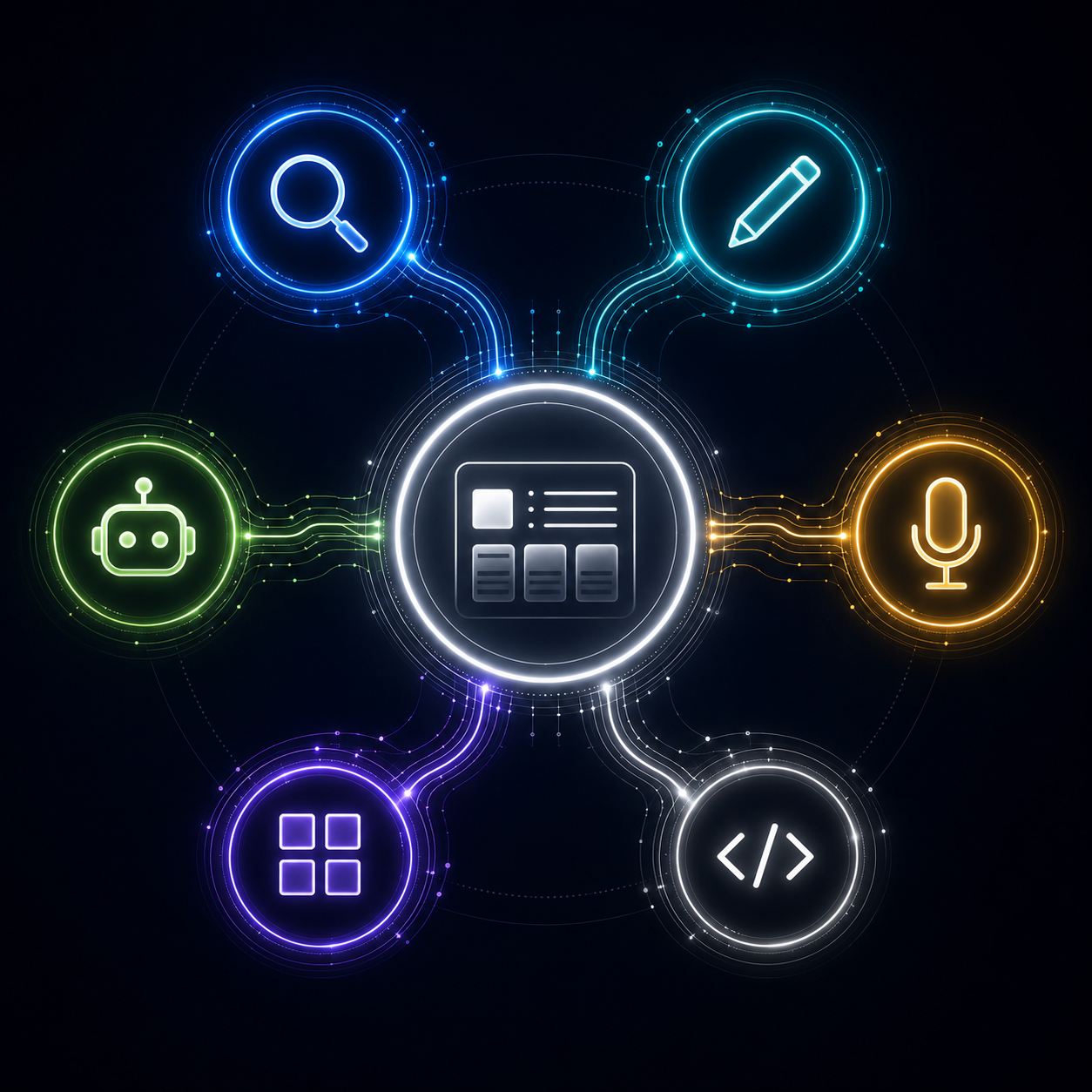
The May 2026 Developer Platform launch extended Notion's AI capabilities into territory that no traditional productivity platform has reached before. Notion Workers enable cloud-based serverless code execution within Notion workflows — allowing custom logic, data transformations, and API calls to run in a secure sandbox without leaving the Notion environment.
External agent integration allows teams to assign work to and track AI agents including Claude Code, Cursor, Codex, and Decagon directly within their Notion workspace. A software development team can assign a coding task to Claude Code from a Notion project database, track the agent's progress, and receive the completed pull request as a database entry — all without leaving the operational hub where the rest of the project is being managed.
Real-World Use Cases
Startups and Small Teams Building Institutional Knowledge
For startups where team members context-switch constantly between roles, the institutional knowledge problem hits early and hard. When one person holds the knowledge of how a process works, that knowledge is inaccessible to everyone else and leaves the organization when that person does.
Notion AI addresses this directly. Teams that build their processes, decisions, and company knowledge in Notion create a searchable organizational memory that any team member can query. New hires onboard faster. Processes are accessible without asking someone. Decisions are traceable to their context.
For startups, this is not just an operational benefit — it is a competitive one. Organizations that capture and activate their institutional knowledge consistently outperform those where knowledge lives in individuals' heads and email threads.
Marketing Teams Scaling Content Production
Marketing teams using Notion AI report significant compression in content production timelines. The AI drafts initial versions of blog posts, social media content, email campaigns, and product descriptions using workspace context — pulling from brand guidelines pages, approved messaging databases, competitor research notes, and product feature databases — without the writer needing to manually compile that reference material before writing.
AI Autofill on content calendar databases automatically generates metadata — SEO titles, meta descriptions, target keywords — for every planned piece of content, turning what was previously a manual step into an automated output.
Operations Teams Replacing Manual Reporting
Weekly status reports, project health summaries, and cross-team update documents are among the most time-consuming and lowest-value tasks in most operations workflows. They require aggregating information that already exists in databases and synthesizing it into a readable format — which is exactly what AI does well.
Notion AI can generate weekly status summaries from project database data, produce cross-team update documents from multiple linked databases, and deliver formatted reports to distribution lists automatically through Custom Agents — eliminating the manual aggregation and formatting work that operations teams perform repeatedly across reporting cycles.
Product and Engineering Teams Managing Complex Projects
For product and engineering teams, Notion AI addresses two specific pain points: finding relevant prior decisions and maintaining documentation currency.
The ability to ask "What was the decision on the authentication architecture from the Q4 planning meeting?" and receive a specific answer with a source link — rather than searching through meeting notes manually or asking a colleague — saves meaningful time across every planning cycle where prior decisions need to be referenced.
External agent integration with Claude Code and Cursor means that coding tasks assigned from Notion project databases can be executed by AI agents and tracked within the same workspace where product decisions and specifications are documented — creating a coherent operational thread from product decision to code execution.
Agencies Managing Multiple Client Workspaces
Agencies that have built client workspaces in Notion use Notion AI to compress the production time on client deliverables — drafting reports, generating status updates, producing content assets — using the client-specific context stored in each workspace.
The unlimited guests policy on all paid plans (updated March 2026) allows agencies to give clients direct access to their Notion workspaces for review and collaboration without incurring additional per-seat costs. Clients can query their own project status using Ask Notion, reducing the volume of status update requests the agency team handles manually.
How Notion AI Compares to the Competition
Notion AI vs Microsoft 365 Copilot
Microsoft 365 Copilot integrates AI across Word, Excel, PowerPoint, Outlook, and Teams — the suite most enterprise organizations already use. Its email and calendar integration is seamless in a way Notion cannot match, because Microsoft built both the productivity suite and the AI layer from the same vendor.
Notion AI's advantage is flexibility. The ability to combine notes, databases, wikis, projects, and AI across a single block-based canvas is structurally different from AI bolted onto separate document, spreadsheet, and email applications. For teams that have built complex operational workflows in Notion — custom databases, relational properties, formula fields — the AI layer operates within that existing structure rather than across disconnected applications.
The practical verdict: organizations deeply embedded in Microsoft 365 and requiring tight Outlook and Teams integration should evaluate Copilot as their primary AI productivity layer. Organizations whose operational center of gravity is Notion should stay within the ecosystem where the AI has full context of how work actually runs.
Notion AI vs ClickUp AI
ClickUp has invested heavily in AI features within its project management platform, but its AI operates primarily within the project management context — tasks, timelines, workload views. Notion AI operates across a broader workspace that combines project management with knowledge management, documentation, and now autonomous agent workflows.
For teams whose primary need is AI within structured project management, ClickUp AI is a strong competitor. For teams that need AI across the full spectrum of how an organization creates and accesses knowledge — not just project status — Notion AI's workspace breadth is the decisive advantage.
Notion AI vs Confluence AI (Atlassian Intelligence)
Atlassian Intelligence brings AI to Confluence — the enterprise wiki and documentation platform that Notion most directly competes with in the knowledge management category. Atlassian Intelligence is strongest for large enterprise organizations already standardized on the Atlassian stack (Jira, Confluence, Loom).
For mid-market and SMB organizations without existing Atlassian infrastructure, Notion's pricing and flexibility make it a more accessible entry point for AI-powered knowledge management.
According to Gartner's research on digital workplace technology, the most important evaluation criterion for AI-powered knowledge management platforms in 2026 is how deeply the AI is integrated with the actual work context of the organization — not just which AI model powers the answers. By this criterion, Notion AI's workspace integration is its defining competitive advantage over standalone AI tools and partially integrated enterprise copilots alike.
Notion AI Pricing — The Complete and Honest 2026 Breakdown
Notion's pricing restructured significantly in May 2025, and understanding the current structure requires understanding what changed and what is included at each tier.
Free Plan — $0 Unlimited pages and blocks for individual use, 10 guests, 7-day version history, and a limited one-time trial of Notion AI features. The free plan is genuinely functional for individual personal use. For team collaboration or any meaningful use of Notion AI features, the free plan's limitations become immediately apparent.
Plus Plan — $10/user/month (billed annually) or $12/month (billed monthly) Unlimited guests (guest cap removed on all paid plans in March 2026), 30-day version history, Notion Sites, and unlimited file uploads. Includes a limited Notion AI trial — not full access. The separate AI add-on that previously allowed Plus users to access full AI features was eliminated in May 2025. Plus users who want full Notion AI must upgrade to Business.
Business Plan — $20/user/month (billed annually) or $24/month (billed monthly) Full Notion AI access is included in the Business plan. This includes Ask Notion workspace-wide Q&A, AI writing and editing across all pages, meeting notes and transcription, AI Autofill for databases, the Notion Agent, and enterprise search connectors. SSO (SAML), advanced permissions, private teamspaces, 90-day version history, and page analytics are also included.
Custom Agents are available on Business plans with the purchase of Notion Credits. Credits are sold at $10 per 1,000 and purchased separately by workspace admins. Teams planning to run multiple Custom Agents across high-frequency database triggers should model their credit consumption before committing — budget for $50 to $100 per month in credits for moderate agent usage.
Enterprise — Custom pricing (contact sales) Everything in Business plus SCIM provisioning (Okta, Azure AD, OneLogin), advanced security and content controls, full audit logs, unlimited version history, DLP and SIEM connections, a dedicated customer success manager, zero data retention with the underlying LLM providers, and negotiable guest allowances. Enterprise Search Connectors with full Salesforce and Zendesk live sync are available at this tier. Required for organizations with HIPAA, SOC 2, or custom data residency requirements.
The honest pricing reality: The elimination of the standalone AI add-on in May 2025 means the effective cost of Notion AI is the cost of upgrading to Business — $20/user/month annually versus $10/user/month on Plus. For teams of five, that difference is $600 per year. For teams of twenty, it is $2,400 per year. Whether that premium is justified depends entirely on how much value Ask Notion and the AI writing features deliver relative to the alternative tools the team would otherwise use.
For most knowledge-work teams that are already committed Notion users, the Business plan is worth it. For teams whose primary use of Notion is task management or simple note-taking, the Plus plan's limited AI trial may be sufficient.
Pros and Cons
Pros
Workspace-aware AI that answers questions using your organization's actual knowledge — not the internet
Ask Notion Q&A surfaces information from across all pages, databases, and linked documents
AI writing, summarization, and editing with full workspace context
Meeting notes with automatic transcription, decision extraction, and action item identification
AI Autofill for databases enabling automated knowledge enrichment at scale
Custom Agents for continuous, autonomous AI workflows triggered by database changes or schedules
Notion Developer Platform with Workers (serverless cloud code execution) and external agent integration (Claude Code, Cursor, Codex, Decagon)
Live database sync from Salesforce and Zendesk on Enterprise plans
Unlimited guests on all paid plans — external collaborators and clients at no extra seat cost
Model-agnostic AI layer — Notion's platform does not depend on a single LLM provider
100 million users worldwide with strong enterprise adoption (OpenAI, Figma, Ramp, Nvidia)
4.6/5 G2 rating from verified enterprise users
Featured on the Forbes AI 50 list in April 2025
Cons
Full Notion AI now requires Business plan at $20/user/month — Plus users lost the ability to add AI as a separate add-on in May 2025, creating a meaningful pricing jump
Custom Agents require additional credit purchases at $10 per 1,000 credits — usage costs for high-frequency agents can add meaningfully to the per-seat subscription
Enterprise Search Connectors with full depth (Salesforce, Zendesk live sync) are available on Enterprise plans only — Business users have limited connector access
Email and calendar integration is less seamless than Microsoft 365 Copilot — Notion AI requires third-party connectors for email context rather than native integration
Complex relational databases and formula fields do not translate cleanly to other formats — significant switching costs once a workspace matures
The flexibility that makes Notion powerful also creates implementation complexity — teams without a clear workspace structure derive less value from AI features that depend on well-organized data
Custom Agent credit billing is not predictable for high-volume database triggers — teams need to monitor usage actively to avoid unexpected credit consumption
Who Should Use Notion AI?
Notion AI delivers the most value for:
Teams already using Notion as their operational hub — the AI multiplies the value of the knowledge they have already built in the workspace
Startups and growing companies building institutional knowledge and wanting AI to make that knowledge queryable as the organization scales
Marketing and content teams producing high-volume structured content who benefit from AI drafting with workspace context
Operations teams who manually aggregate information for recurring reports that Custom Agents can automate
Product and engineering teams managing complex projects where prior decisions need to be searchable and where agent integration with coding tools is valuable
Agencies managing multiple client workspaces who want to compress deliverable production time using client-specific context
Who Should Consider Alternatives
Organizations deeply standardized on Microsoft 365 who need tight Outlook and Teams integration — Microsoft 365 Copilot is the more seamless choice
Teams whose primary use of Notion is simple task management rather than knowledge building — the AI value proposition is weaker for workspace-light users
Large enterprises with strict HIPAA, SCIM, or data residency requirements who need to evaluate the Enterprise plan carefully before committing — the required feature set significantly changes the cost calculation
Teams in the early stages of building their Notion workspace — AI value compounds with the depth of the knowledge already in the workspace, so early-stage users experience less benefit than established ones

Getting the Most Out of Notion AI — Practical Tips
The teams that extract the most value from Notion AI share consistent behaviors that are worth understanding before investing in the Business plan.
Build structure before activating AI. Notion AI's quality of output is directly proportional to the quality and structure of the workspace it queries. Teams that have invested in clear database schemas, consistent naming conventions, and organized page hierarchies receive significantly better AI outputs than teams with unorganized, inconsistently structured workspaces. If your Notion workspace is messy, address that before upgrading to Business.
Use AI Autofill to enrich databases at setup, not retroactively. AI Autofill is most powerful when it is configured at the time a database is built — ensuring every new entry receives automated enrichment as it is created. Applying it retroactively to large existing databases is technically possible but consumes more credits and requires more careful quality review.
Start Custom Agents with simple, high-frequency triggers. The most successful Custom Agent implementations begin with straightforward, high-frequency use cases — weekly status summaries, new entry notifications, overdue task reminders — before progressing to complex multi-step agents. Simple agents are faster to configure, easier to debug, and produce faster evidence of ROI that justifies the credit spend.
Treat Ask Notion as an onboarding tool. New team members are the highest-value user of Ask Notion — they have the most questions about how the organization works and the least existing knowledge to answer them. Explicitly directing new joiners to Ask Notion as their first resource before asking colleagues accelerates onboarding and begins building the habit of querying the workspace before defaulting to a colleague interrupt.
Connect relevant external sources before running AI queries. The depth of Ask Notion's answers increases with every connected data source. Connecting Slack channels where key decisions are discussed, Google Drive folders where reference documents live, and — for Enterprise users — Salesforce and Zendesk, dramatically expands the knowledge base the AI can synthesize from.
Notion AI and the Future of Knowledge Work
The trajectory of Notion's product development in 2025 and 2026 tells a coherent story about where knowledge work is heading. The product began as a flexible canvas for individual notes. It grew into a team workspace. It evolved into an organizational knowledge platform. It is now becoming an AI-powered operating system for how organizations think, decide, and operate.
The Notion Developer Platform launch in May 2026 — with serverless Workers, live external database sync, and agent integration — is not a feature release. It is a platform bet: that the organization's knowledge hub should also be the organization's AI execution hub, and that the AI agents doing operational work should be orchestrated from the same place where the humans directing that work think and plan.
According to the World Economic Forum's Future of Jobs Report, knowledge management and information synthesis are identified as among the job tasks most significantly augmented by AI by 2026 — with the organizations that invest in AI-powered knowledge infrastructure demonstrating measurably faster decision-making cycles and lower information retrieval costs than those that do not. Notion AI's trajectory positions it at the center of exactly this shift.
For the 100 million people already working in Notion, the AI layer is not a new tool to learn. It is an upgrade to a workspace they already spend significant professional time in — one that makes the investment they have already made in building organizational knowledge significantly more valuable.
Final Verdict
Notion AI in 2026 is one of the most compelling AI productivity tools available, and that assessment is grounded in a specific reason: it is the only AI tool that has genuine access to the full context of how your organization actually operates.
Every other AI tool you use — ChatGPT, Claude, Gemini, Perplexity — operates on general knowledge or the context you manually provide in each session. Notion AI operates on the specific knowledge your organization has built over time, in the workspace where that knowledge lives, without requiring you to copy, paste, or summarize any of it before asking a question.
That contextual advantage is not theoretical. It produces measurably better answers to the questions that actually matter for day-to-day work — not "what is the definition of net revenue retention" but "what was our NRR discussion outcome from the Q2 board review and what did we commit to doing about it."
The pricing change — requiring Business at $20/user/month for full AI access — is the primary friction point. For teams fully committed to Notion as their operational hub, it is justified. For casual Notion users or teams whose workspace is shallow, the upgrade cost needs to be evaluated honestly against the specific value they would receive.
The free plan and the trial period on Plus are sufficient to evaluate Ask Notion with real workspace queries before committing. If one session of asking Ask Notion questions about your actual organizational knowledge convinces you of the value, the Business plan is worth it. If it does not, that is a signal worth taking seriously.
For Notion-committed teams in 2026, there is no AI tool with better access to what your organization actually knows. That is a rare and genuinely useful advantage.
Start Using Notion AI in Your Workspace
If you are already working in Notion, the AI layer is ready to activate across everything you have already built. If you are not yet using Notion, the free plan gives you full workspace access to start building the knowledge base that makes Notion AI most powerful.
Try Notion AI free → — Free plan includes unlimited pages. Ask Notion trial included. No credit card required for the free tier.
Frequently Asked Questions
What is Notion AI? Notion AI is an intelligent assistant built into the Notion workspace that has access to your pages, databases, meeting notes, and connected apps. It answers questions, generates content, summarizes documents, transcribes meetings, enriches databases, and runs autonomous background workflows — all grounded in the specific knowledge your organization has built in the workspace rather than general internet information.
How much does Notion AI cost in 2026? Full Notion AI access requires the Business plan at $20 per user per month billed annually ($24 monthly). The Free plan and Plus plan ($10/user/month annually) include only a limited Notion AI trial. Custom Agents require additional Notion Credits at $10 per 1,000 credits, available to Business and Enterprise plan users.
What happened to the Notion AI add-on? Notion eliminated the separate AI add-on (which was previously $8 to $10 per user per month and available on any plan) in May 2025. Full AI access is now bundled exclusively into the Business and Enterprise tiers. Free and Plus users who did not already have the add-on must upgrade to Business to access full AI features.
What are Notion Custom Agents? Custom Agents are autonomous AI workflows in Notion that run continuously in the background, triggered by database changes, schedules, or Slack messages — without requiring a human to initiate each run. They launched in February 2026 and moved to credit-based billing at $10 per 1,000 Notion Credits in May 2026. Available on Business and Enterprise plans only.
Is Notion AI better than ChatGPT for workplace productivity? For workplace productivity tasks grounded in your organization's specific knowledge — finding decisions, summarizing internal documents, answering questions about your processes — Notion AI consistently outperforms ChatGPT because it has direct access to your workspace context. For general reasoning, research, and tasks that do not depend on organizational context, ChatGPT's reasoning capability is stronger. The tools serve complementary rather than competing purposes.
How does Notion AI handle data privacy? Notion AI's platform is model-agnostic — Notion does not lock the service to a single LLM provider, and your business data stays stored within Notion's infrastructure. Enterprise plans include zero data retention options with the underlying LLM providers, SCIM provisioning, and audit logs. Organizations with HIPAA or specific data residency requirements should evaluate the Enterprise plan and Notion's data processing agreements before deployment.
What is the Notion Developer Platform? Launched in May 2026, the Notion Developer Platform introduces Workers (cloud-based serverless code execution in a secure sandbox), database sync for pulling live data from Salesforce and Zendesk into Notion databases, and external agent integration allowing teams to assign work to and track Claude Code, Cursor, Codex, and Decagon from within Notion.

Founder & Editor, Axionova
Ashir writes independent, hands-on reviews of AI tools and shares strategies for creators, marketers, and entrepreneurs. Every review is grounded in real usage — no paid placements, no fluff. Read our editorial standards.
AI Insights Weekly
One curated email a week: sharp AI insights, tool reviews, and strategies.
Have thoughts on this?
Contact us or share this article on social media — we'd love to hear what resonated with you.